Keyboard Backlight Brightness: The most common combination for adjusting the keyboard’s own LED brightness is Fn + ↑ (Up Arrow) to increase brightness and Fn + ↓ (Down Arrow) to decrease it.
Other Potential Combinations: Some models might use Fn with specific F keys, often marked with sun icons (/), such as Fn + F5/F6 or Fn + F11/F12. Check your keyboard’s manual for model-specific shortcuts.
Controlling Monitor Brightness in the COSMIC Desktop
If you are using the COSMIC desktop environment (like on Pop!_OS), the standard keyboard shortcuts (often the sun-labeled function keys on a laptop) should work by default.
If the keys don’t work, here are some common solutions within the COSMIC environment:
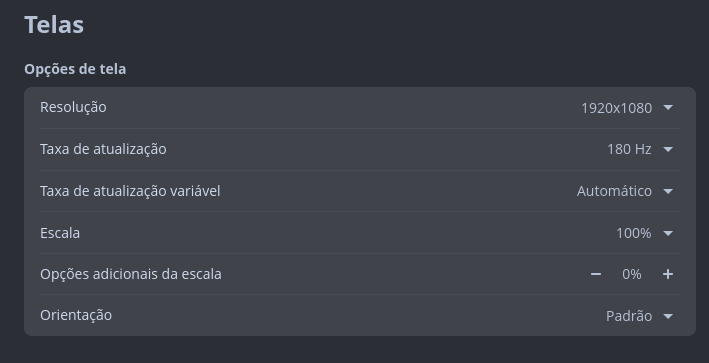
System Settings: You can always manually adjust the brightness using the slider in the Settings > System > Display menu.
Custom Shortcuts: You can create custom keyboard shortcuts if your default keys aren’t working. This often involves using a command-line utility like brightnessctl and assigning it to a key combination in the Keyboard Shortcuts settings.
Applets for External Monitors: For external monitors, the COSMIC desktop has applets (like those found on the cosmic-utils GitHub page) that allow you to control brightness via the DDC/CI protocol and can be synced with your keyboard’s brightness keys.
~$ sudo kernelstub -v
[sudo] senha para gengar:
kernelstub.Config    : INFO     Looking for configuration...
kernelstub           : INFO     System information:

    OS:..................Pop!_OS 24.04
    Root partition:....../dev/sda3
    Root FS UUID:........c3ed13d9-122a-4b31-bb38-087980af93ec
    ESP Path:............/boot/efi
    ESP Partition:......./dev/sda1
    ESP Partition #:.....1
    NVRAM entry #:.......-1
    Boot Variable #:.....0000
    Kernel Boot Options:.loglevel=0 nvidia-drm.modeset=1 quiet systemd.show_status=false splash acpi_backlight=native
    Kernel Image Path:.../boot/vmlinuz-6.17.9-76061709-generic
    Initrd Image Path:.../boot/initrd.img-6.17.9-76061709-generic
    Force-overwrite:.....False

kernelstub.Installer : INFO     Copying Kernel into ESP
kernelstub.Installer : INFO     Copying initrd.img into ESP
kernelstub.Installer : INFO     Setting up loader.conf configuration
kernelstub.Installer : INFO     Making entry file for Pop!_OS
kernelstub.Installer : INFO     Backing up old kernel
kernelstub.Installer : INFO     Making entry file for Pop!_OS
gengar@pop-os:~$ sudo brightnessctl set 5%+
Updated device 'input12::kana':
Device 'input12::kana' of class 'leds':
	Current brightness: 1 (100%)
	Max brightness: 1

gengar@pop-os:~$ sudo brightnessctl set 5%-
Updated device 'input12::kana':
Device 'input12::kana' of class 'leds':
	Current brightness: 0 (0%)
	Max brightness: 1
 /
/ ), such as