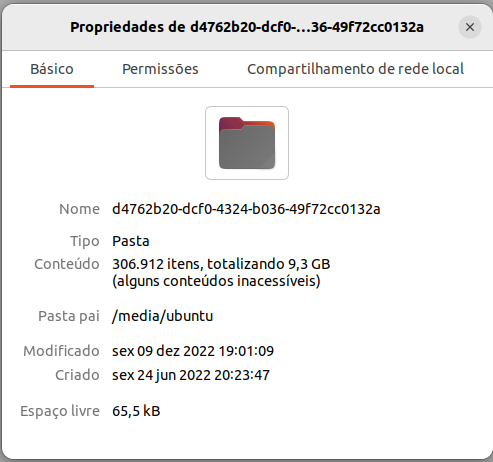
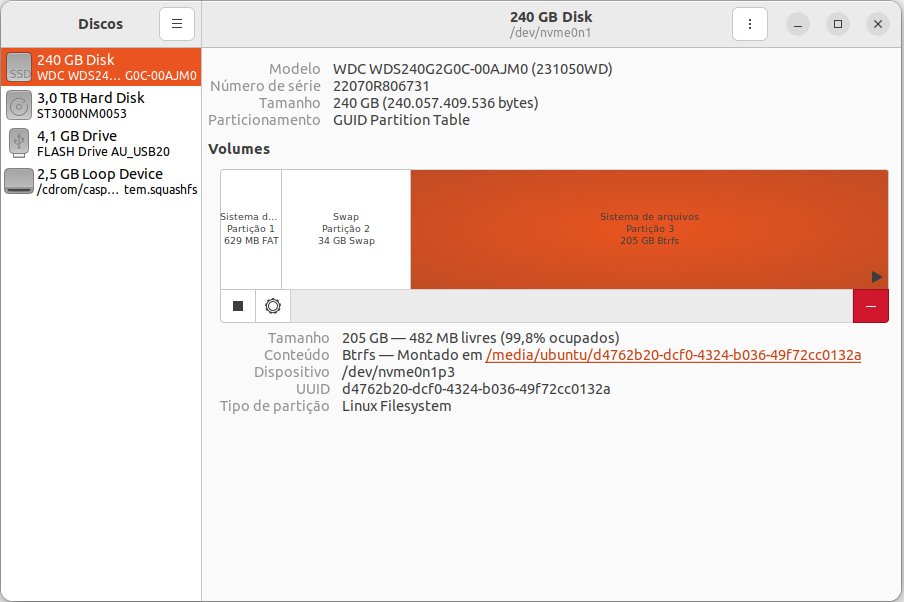
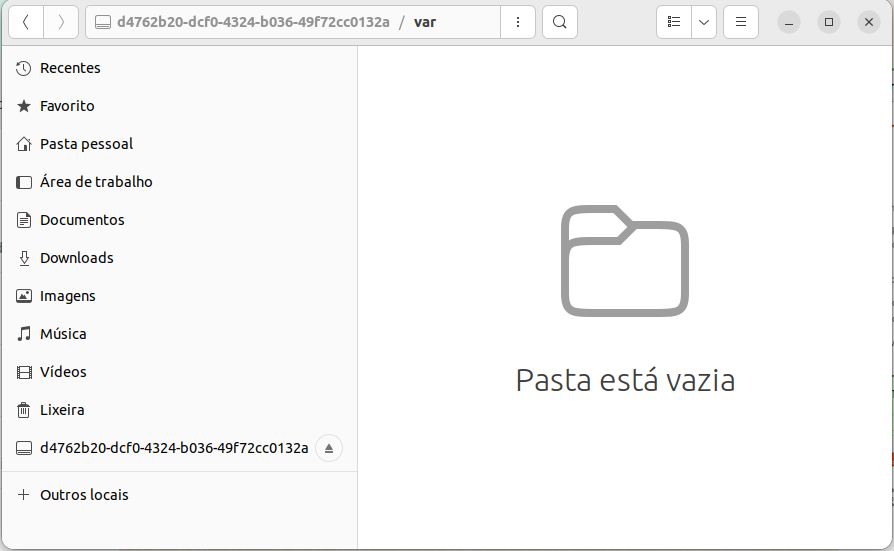
Rapaz… Você conseguiu! 
Esse é motivo pelo qual uso partição BtrFS (com snapshots) unicamente no openSUSE – e mantenho minhas outras distros em partições ext4. – Nunca tive problema com partição BtrFS (desde Janeiro 2017)… mas quando a gente olha “de fora” (a partir de outra distro), não encontra quase nada.
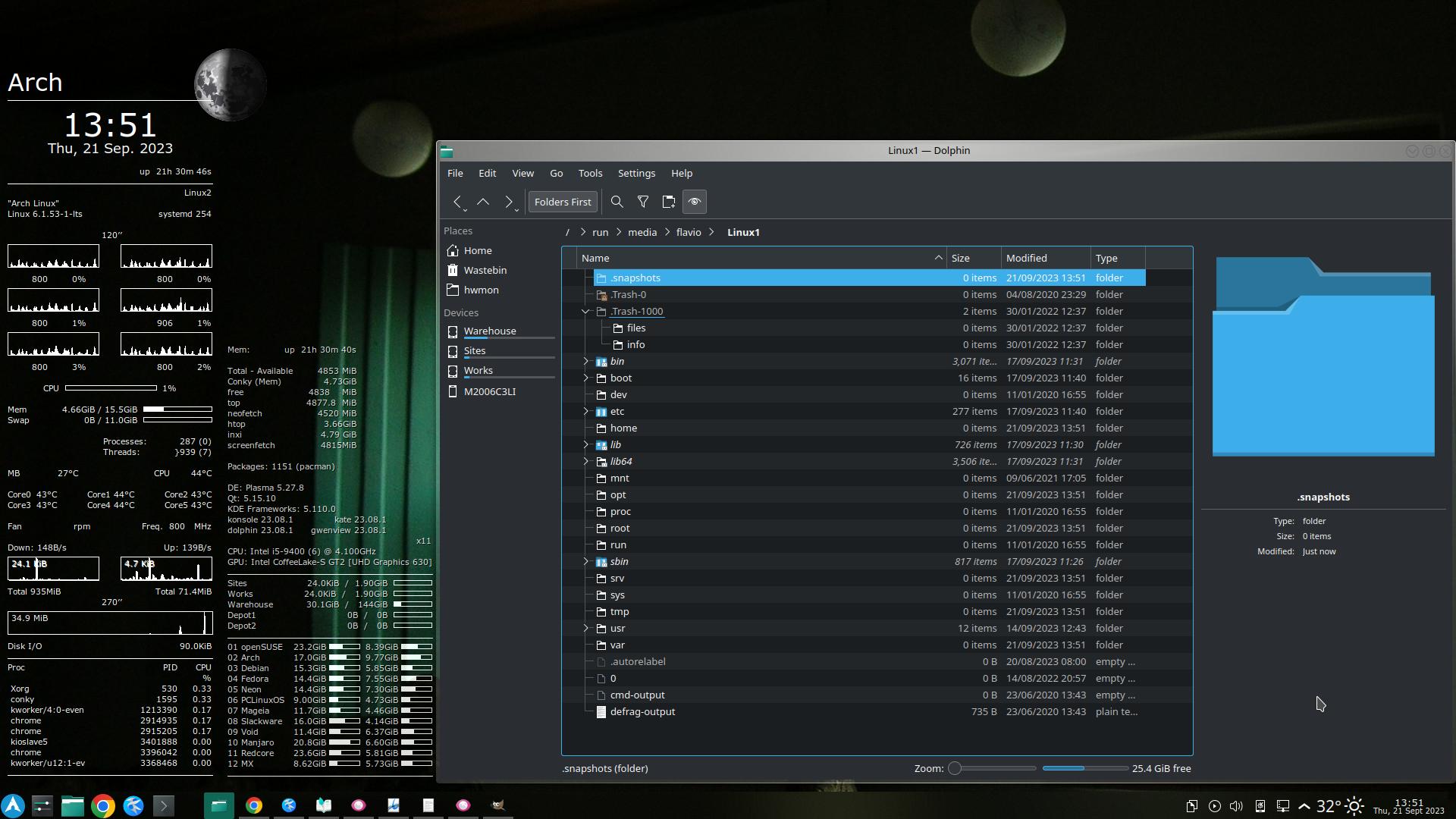
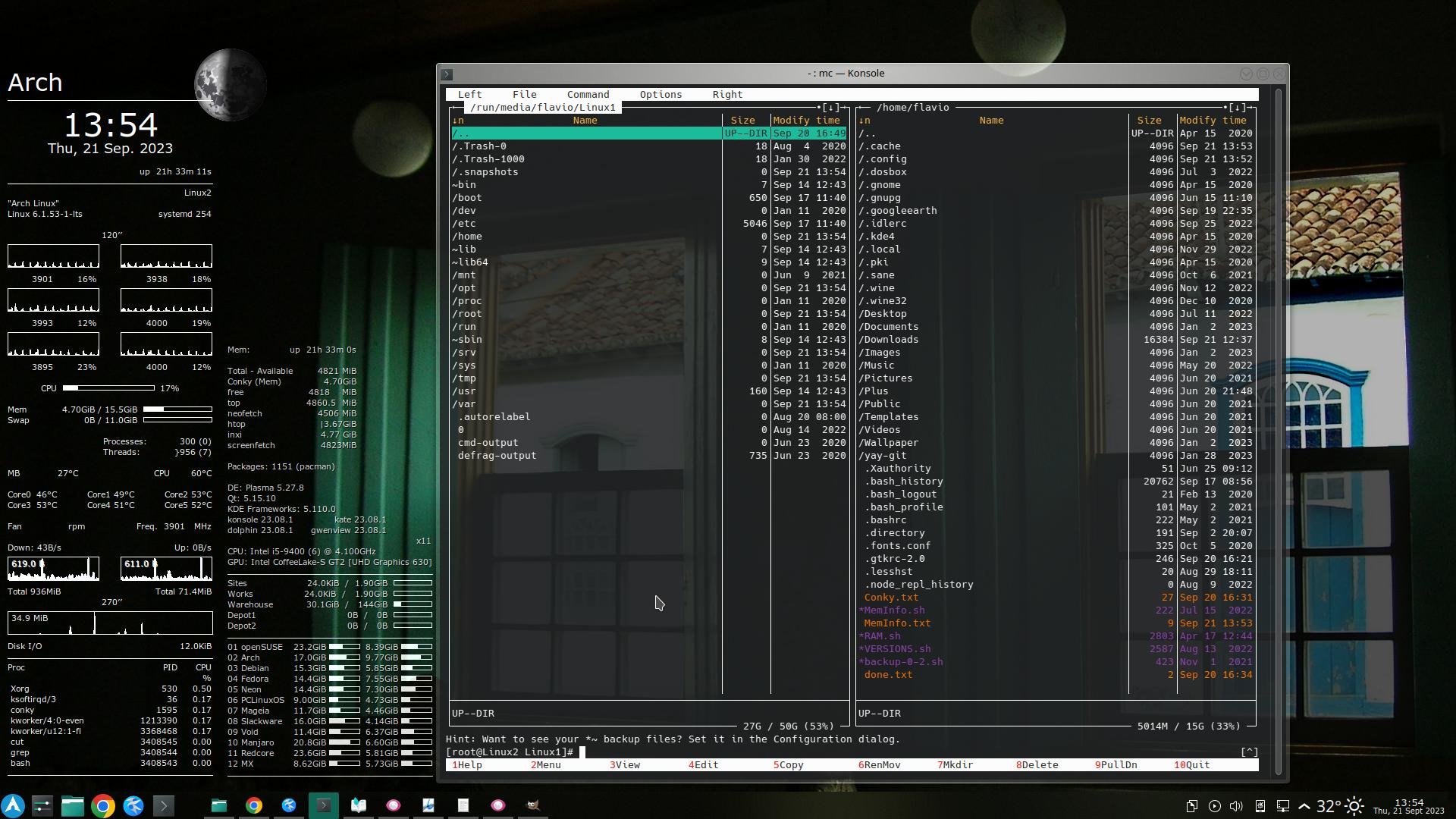
Exemplo: – Partição BtrFS do openSUSE, visto a partir do Arch Linux – pelo Dolphin, como usuário comum:
… ou pelo Midnight-Commander (mc), como super-usuário:
Sei que quase tudo está na pasta /.snapshots (oculta, devido ao ponto no início do nome) – mas o Arch diz que não existe nada por ali. – Só quando carrego o openSUSE, é que as subpastas (instantâneos, ou snapshots) são montadas e aparecem.
Estou aqui tentando imaginar um modo de você contornar esse problema, mas sinceramente, ainda não consegui ter nenhuma ideia luminosa.
Por enquanto, só nos resta aguardar que outros colegas apresentem uma solução.
Enquanto isso…
Esta é uma boa hora, para você ver a importância de configurar algumas coisas e fazer alguma “manutenção regular” – depois que seu openSUSE estiver funcionando outra vez.
Eu costumo usar partições de 30 GiB para cada distro – mas para o openSUSE, fiz uma partição de 50 GiB – o que é apenas 1/5 da sua partição de 240 GB.
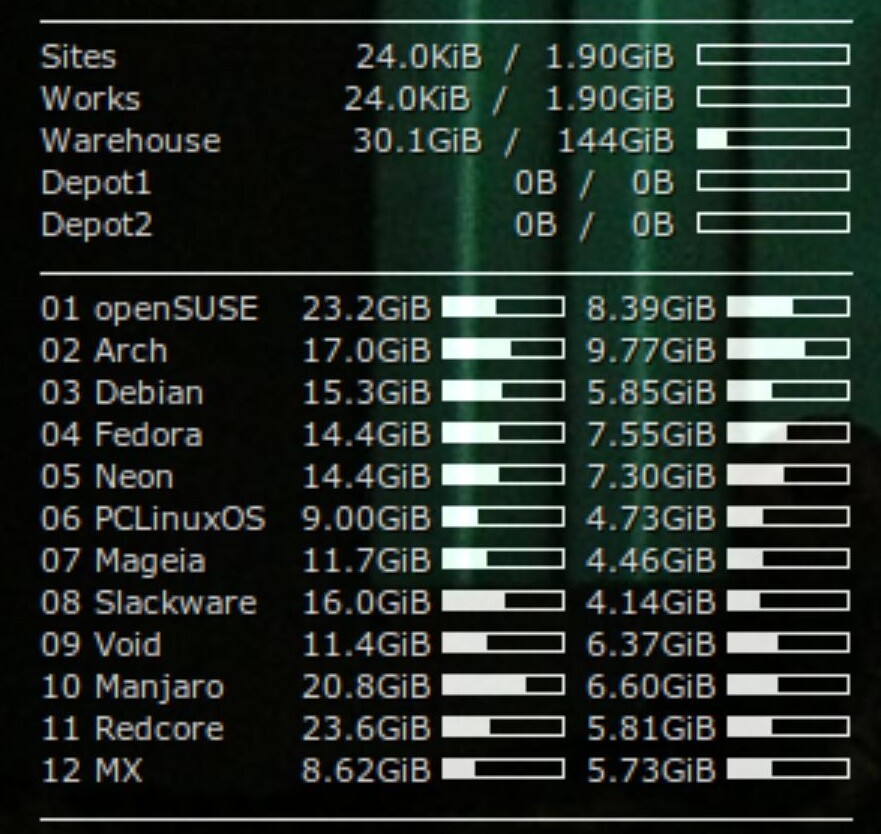
A primeira coisa que faço, é monitorar a ocupação das minhas partições, o tempo todo – pelo Conky:
(A partição do Redcore também é maior que as outras. – Aumentei para 60 GiB).
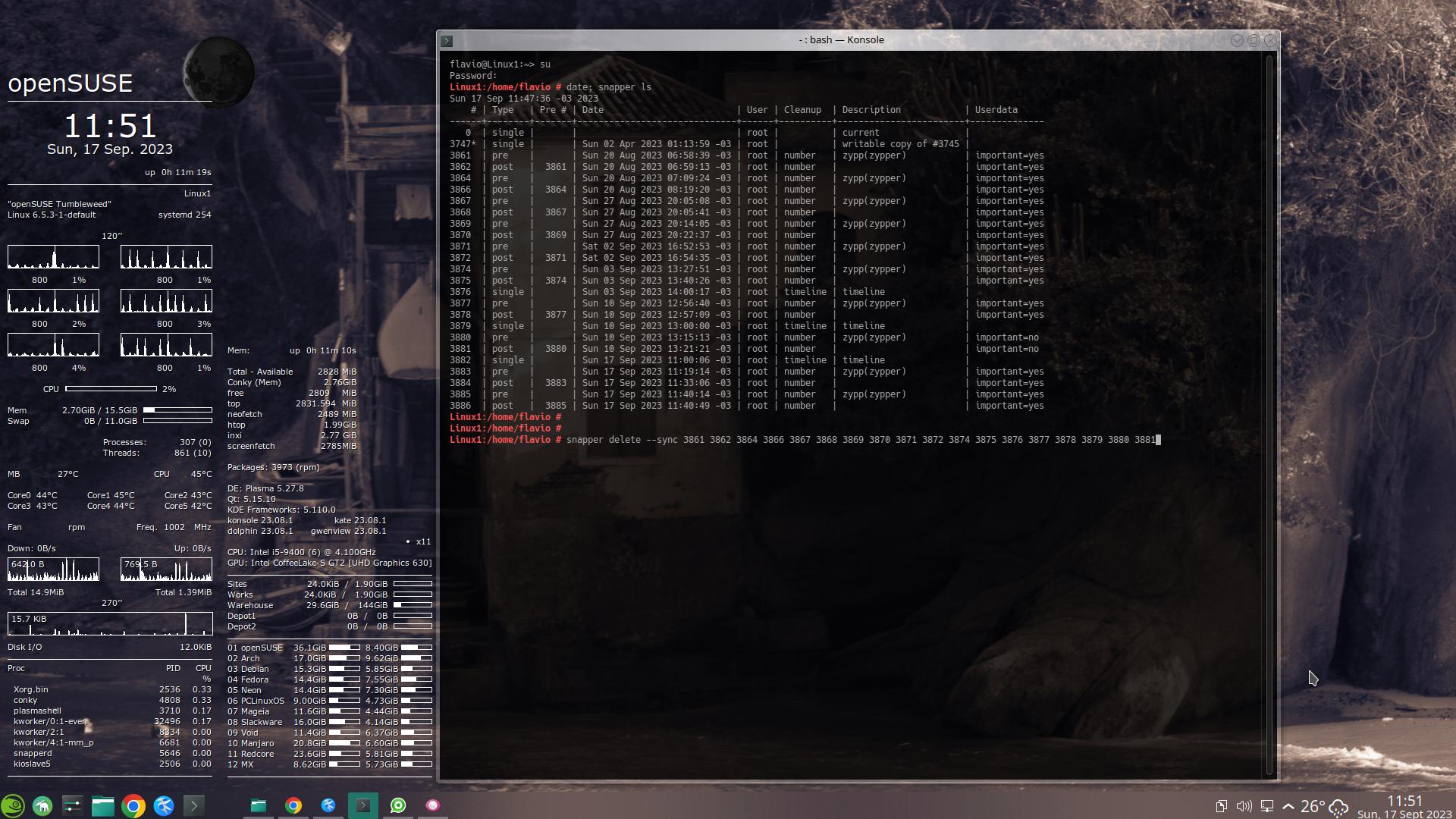
Domingo passado, após minha atualização semanal, a partição do openSUSE estava com 36,1 GiB ocupados – e aproveitei para deletar todos os snapshots de até 7 dias antes (Domingo anterior):
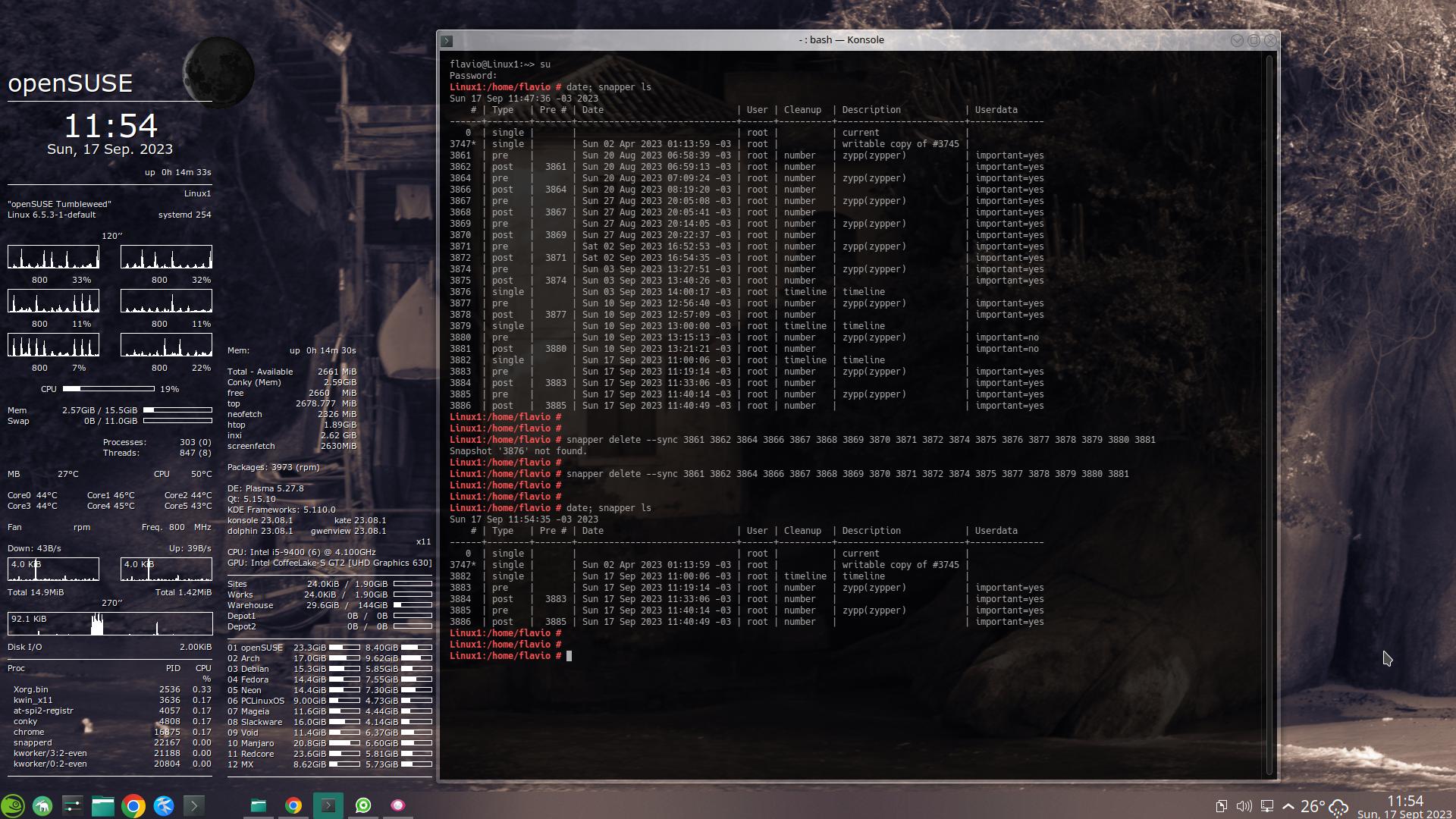
Com isso, a ocupação caiu para 23,3 GiB:
Para facilitar a leitura do que fiz:
# date; snapper ls
Sun 17 Sep 11:47:36 -03 2023
    # | Type   | Pre # | Date                         | User | Cleanup  | Description            | Userdata
------+--------+-------+------------------------------+------+----------+------------------------+--------------
   0  | single |       |                              | root |          | current                |
3747* | single |       | Sun 02 Apr 2023 01:13:59 -03 | root |          | writable copy of #3745 |
3861  | pre    |       | Sun 20 Aug 2023 06:58:39 -03 | root | number   | zypp(zypper)           | important=yes
3862  | post   |  3861 | Sun 20 Aug 2023 06:59:13 -03 | root | number   |                        | important=yes
3864  | pre    |       | Sun 20 Aug 2023 07:09:24 -03 | root | number   | zypp(zypper)           | important=yes
3866  | post   |  3864 | Sun 20 Aug 2023 08:19:20 -03 | root | number   |                        | important=yes
3867  | pre    |       | Sun 27 Aug 2023 20:05:08 -03 | root | number   | zypp(zypper)           | important=yes
3868  | post   |  3867 | Sun 27 Aug 2023 20:05:41 -03 | root | number   |                        | important=yes
3869  | pre    |       | Sun 27 Aug 2023 20:14:05 -03 | root | number   | zypp(zypper)           | important=yes
3870  | post   |  3869 | Sun 27 Aug 2023 20:22:37 -03 | root | number   |                        | important=yes
3871  | pre    |       | Sat 02 Sep 2023 16:52:53 -03 | root | number   | zypp(zypper)           | important=yes
3872  | post   |  3871 | Sat 02 Sep 2023 16:54:35 -03 | root | number   |                        | important=yes
3874  | pre    |       | Sun 03 Sep 2023 13:27:51 -03 | root | number   | zypp(zypper)           | important=yes
3875  | post   |  3874 | Sun 03 Sep 2023 13:40:26 -03 | root | number   |                        | important=yes
3876  | single |       | Sun 03 Sep 2023 14:00:17 -03 | root | timeline | timeline               |
3877  | pre    |       | Sun 10 Sep 2023 12:56:40 -03 | root | number   | zypp(zypper)           | important=yes
3878  | post   |  3877 | Sun 10 Sep 2023 12:57:09 -03 | root | number   |                        | important=yes
3879  | single |       | Sun 10 Sep 2023 13:00:00 -03 | root | timeline | timeline               |
3880  | pre    |       | Sun 10 Sep 2023 13:15:13 -03 | root | number   | zypp(zypper)           | important=no
3881  | post   |  3880 | Sun 10 Sep 2023 13:21:21 -03 | root | number   |                        | important=no
3882  | single |       | Sun 17 Sep 2023 11:00:06 -03 | root | timeline | timeline               |
3883  | pre    |       | Sun 17 Sep 2023 11:19:14 -03 | root | number   | zypp(zypper)           | important=yes
3884  | post   |  3883 | Sun 17 Sep 2023 11:33:06 -03 | root | number   |                        | important=yes
3885  | pre    |       | Sun 17 Sep 2023 11:40:14 -03 | root | number   | zypp(zypper)           | important=yes
3886  | post   |  3885 | Sun 17 Sep 2023 11:40:49 -03 | root | number   |                        | important=yes

# snapper delete --sync 3861 3862 3864 3866 3867 3868 3869 3870 3871 3872 3874 3875 3876 3877 3878 3879 3880 3881
Snapshot '3876' not found.

# snapper delete --sync 3861 3862 3864 3866 3867 3868 3869 3870 3871 3872 3874 3875 3877 3878 3879 3880 3881

(caiu de 36,1 GiB para 23,3 GiB)

# date; snapper ls
Sun 17 Sep 11:54:35 -03 2023
    # | Type   | Pre # | Date                         | User | Cleanup  | Description            | Userdata
------+--------+-------+------------------------------+------+----------+------------------------+--------------
   0  | single |       |                              | root |          | current                |
3747* | single |       | Sun 02 Apr 2023 01:13:59 -03 | root |          | writable copy of #3745 |
3882  | single |       | Sun 17 Sep 2023 11:00:06 -03 | root | timeline | timeline               |
3883  | pre    |       | Sun 17 Sep 2023 11:19:14 -03 | root | number   | zypp(zypper)           | important=yes
3884  | post   |  3883 | Sun 17 Sep 2023 11:33:06 -03 | root | number   |                        | important=yes
3885  | pre    |       | Sun 17 Sep 2023 11:40:14 -03 | root | number   | zypp(zypper)           | important=yes
3886  | post   |  3885 | Sun 17 Sep 2023 11:40:49 -03 | root | number   |                        | important=yes
Mas esta limpeza “manual”, é apenas um “complemento”, que faço de vez em quando, para me sentir confortável.
O principal, é que configurei o snapper para manter o menor número possível de “instantâneos” (snapshots). – Minha configuração atual – arquivo /etc/snapper/configs/root:
# cat /run/media/flavio/Linux1/etc/snapper/configs/root

# subvolume to snapshot
SUBVOLUME="/"

# filesystem type
FSTYPE="btrfs"

# btrfs qgroup for space aware cleanup algorithms
QGROUP=""

# fraction of the filesystems space the snapshots may use
SPACE_LIMIT="0.5"

# fraction of the filesystems space that should be free
FREE_LIMIT="0.2"

# users and groups allowed to work with config
ALLOW_USERS=""
ALLOW_GROUPS=""

# sync users and groups from ALLOW_USERS and ALLOW_GROUPS to .snapshots
# directory
SYNC_ACL="no"

# start comparing pre- and post-snapshot in background after creating
# post-snapshot
BACKGROUND_COMPARISON="yes"

# run daily number cleanup
NUMBER_CLEANUP="yes"

# limit for number cleanup
NUMBER_MIN_AGE="1800"
NUMBER_LIMIT="20"
NUMBER_LIMIT_IMPORTANT="10"

# create hourly snapshots
TIMELINE_CREATE="yes"

# cleanup hourly snapshots after some time
TIMELINE_CLEANUP="yes"

# limits for timeline cleanup
TIMELINE_MIN_AGE="1800"
TIMELINE_LIMIT_HOURLY="2"
TIMELINE_LIMIT_DAILY="1"
TIMELINE_LIMIT_WEEKLY="0"
TIMELINE_LIMIT_MONTHLY="0"
TIMELINE_LIMIT_YEARLY="0"

# cleanup empty pre-post-pairs
EMPTY_PRE_POST_CLEANUP="yes"

# limits for empty pre-post-pair cleanup
EMPTY_PRE_POST_MIN_AGE="1800"
Este bloco limita o número de “snapshots” – e acho que ainda poderar limitar mais um pouco:
# limit for number cleanup
NUMBER_MIN_AGE="1800"
NUMBER_LIMIT="20"
NUMBER_LIMIT_IMPORTANT="10"
Este outro bloco limita o número de outro tipo de “snapshots”:
# limits for timeline cleanup
TIMELINE_MIN_AGE="1800"
TIMELINE_LIMIT_HOURLY="2"
TIMELINE_LIMIT_DAILY="1"
TIMELINE_LIMIT_WEEKLY="0"
TIMELINE_LIMIT_MONTHLY="0"
TIMELINE_LIMIT_YEARLY="0"
Não sou “especialista”, por isso, é provável que eu ainda não esteja fazendo a coisa certa.
Execute man snapper para entender seu funcionamento, ou acesse o Manual aqui.
Veja também o Tutorial.