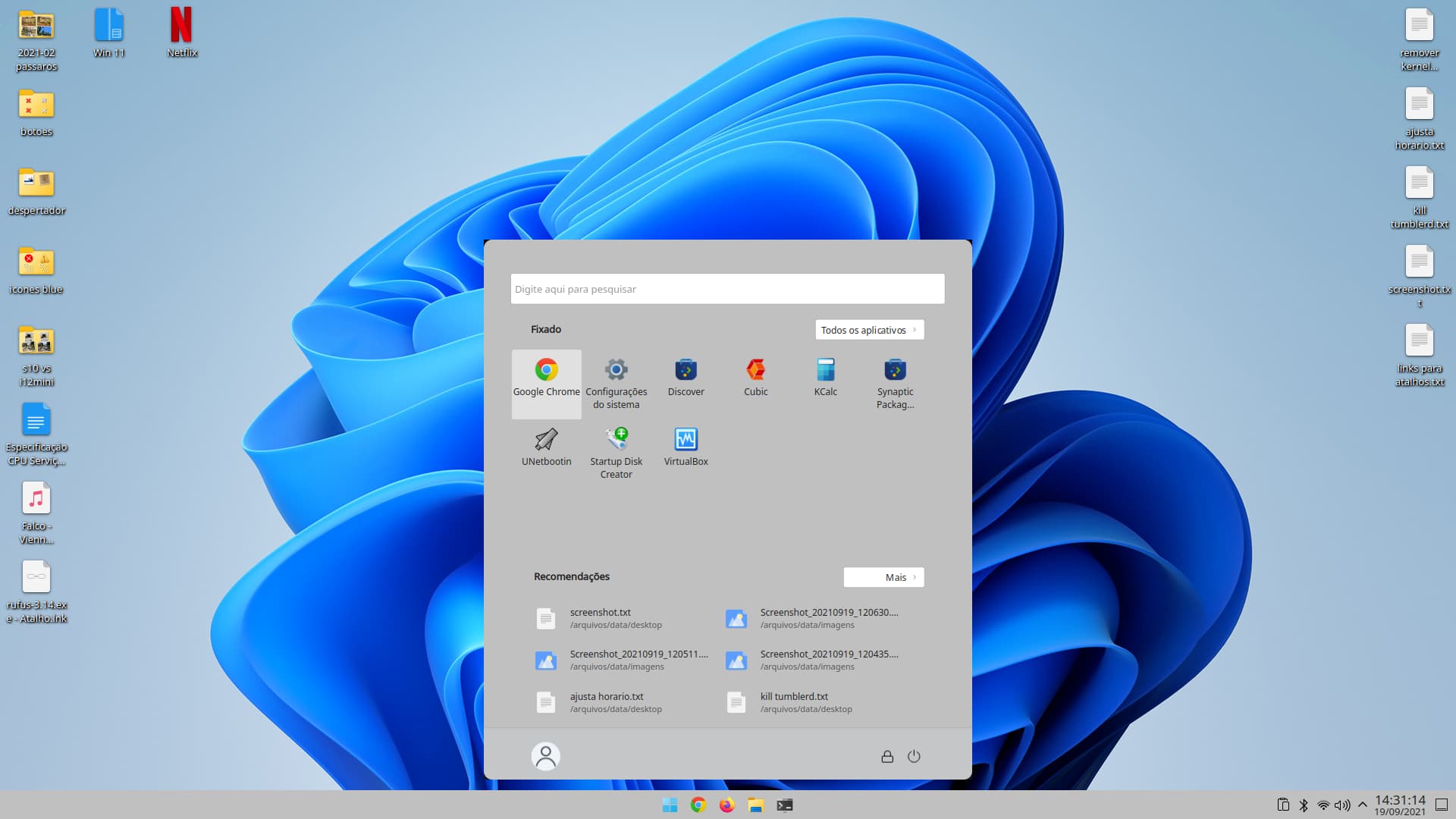
Sei que o resultado que consegui no kde foi bom, como mostrado no post #9. Mas gostaria de mostrar onde cheguei no xfce com o Whiskermenu.
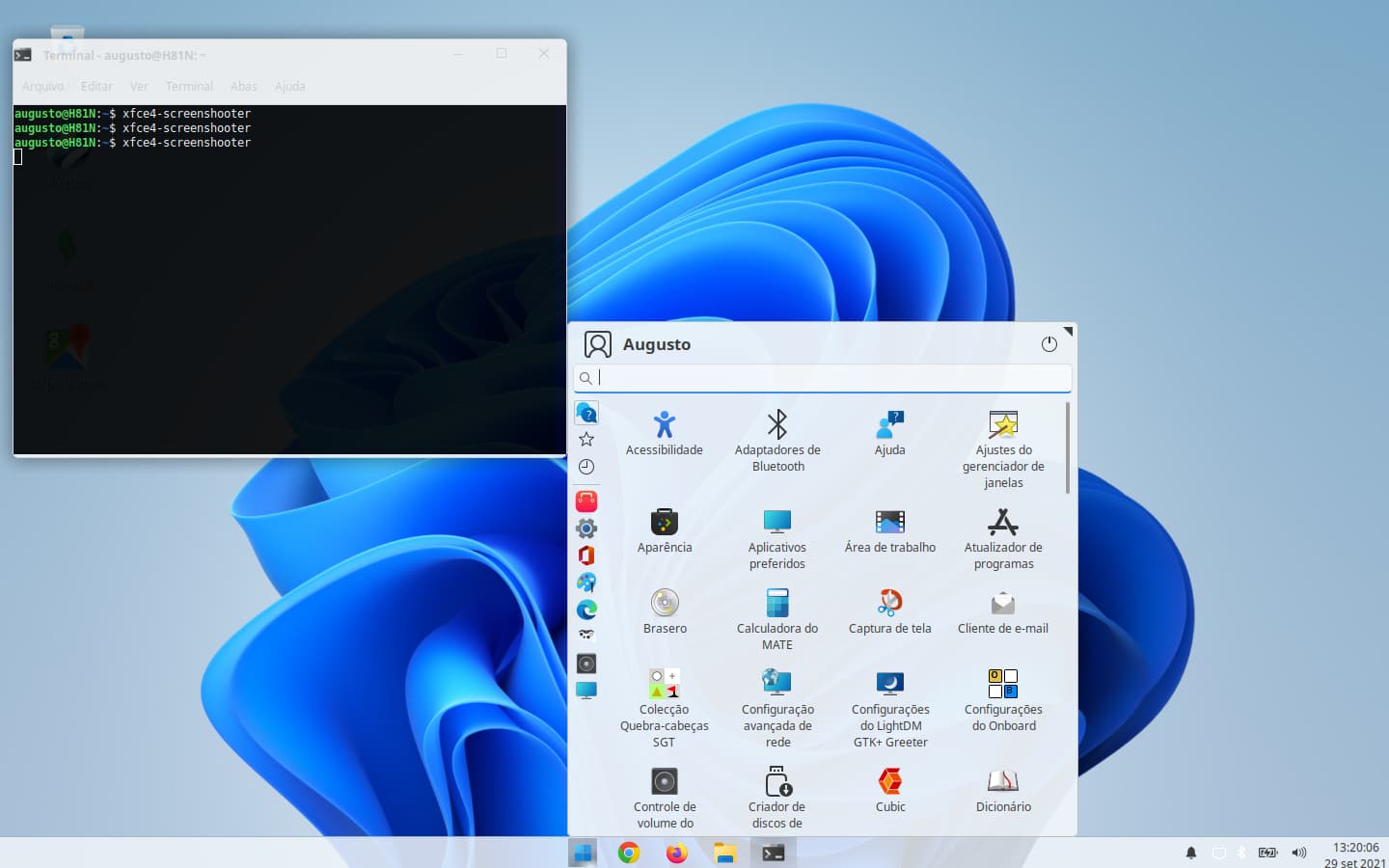
Mudei a configuração para ‘mostrar como ícones’, deixei clicado ‘mostrar as dicas de contexto dos aplicativos’ e ‘posicionar categorias junto ao botão do painel’, tamanho do icone do aplicativo ‘pequeno’ e tamanho do ícone da categoria ‘muito pequeno’.
Adicionei os seguintes parâmetros no gtk.css do tema que criei.
/****************
- Whisker Menu *
****************/
#whiskermenu-window {
color: #3c3c3c;
border-radius: 6px;
background: #eef4f9;
font-size: 14px;
padding: 4px;
}
#whiskermenu-window border {
border-color: transparent;
border-width: 0px;
border-radius: 6px;
padding: 4px;
box-shadow: inset 0px 0px 0px 1px #bcbcbc;
}
#whiskermenu-window separator {
background-color: #bcbcbc;
}
/*
#whiskermenu-window frame {
border: 1px solid #dcdcdc;
border-radius: 4px;
}
*/
/* Make sidebar buttons match */
#whiskermenu-window button {
background-color: transparent;
border-color: transparent;
border-radius: 3px;
color: #3c3c3c;
padding: 0px;
margin: 1px;
font-size: 12px;
box-shadow: none;
}
#whiskermenu-window button:hover {
background: transparent;
border: 1px solid #bcbcbc;
}
#whiskermenu-window button:active {
background: transparent;
border: 1px solid #bcbcbc;
}
#whiskermenu-window button:checked {
background: transparent;
border: 1px solid #bcbcbc;
}
/* Make treeview match */
#whiskermenu-window treeview {
background: transparent;
color: #3c3c3c;
padding: 0px;
margin: 1px;
font-size: 12px;
text-shadow: none;
}
#whiskermenu-window treeview:hover {
background: transparent;
border-radius: 3px;
border: 1px solid #bcbcbc;
}
#whiskermenu-window .view, iconview,
#whiskermenu-window .view text, iconview text, textview text {
background-color: transparent;
font-size: 12px;
}
#whiskermenu-window .view:hover, iconview,
#whiskermenu-window .view:hover text, iconview text, textview text {
background-color: rgba(192, 192, 192, 0.3);
font-size: 12px;
}
#whiskermenu-window .frame {
border: transparent;
border-radius: 0px;
}
/* Menu search box */
#whiskermenu-window entry {
background: rgba(255, 255, 255, 0.5);
border-top: 1px solid #dcdcdc;
border-bottom: 2px solid #398ee8;
border-right: 1px solid #dcdcdc;
border-left: 1px solid #dcdcdc;
border-radius: 5px;
color: #3c3c3c;
font-size: 12px;
text-shadow: none;
}
/* whiskermenu scrollbar */
#whiskermenu-window scrollbar {
background: transparent;
border-color: transparent;
}
#whiskermenu-window scrollbar:backdrop {
background: transparent;
border-color: transparent;
}
#whiskermenu-window scrollbar slider {
min-width: 4px;
min-height: 4px;
margin: 2px;
border: 1px solid #eef4f9;
border-radius: 3px;
background-clip: padding-box;
background: #9c9c9c;
}
#whiskermenu-window scrollbar slider:hover {
background: #6c6c6c;
border-color: #6c6c6c;
}
#whiskermenu-window scrollbar slider:hover:active {
background: #6c6c6c;
border-color: #6c6c6c;
}
#whiskermenu-window scrollbar slider:backdrop {
background: transparent;
}
#whiskermenu-window scrollbar slider:disabled {
background: transparent;
}
Segue uma screenshoot do Whiskermenu no Xubuntu 20.04.
Se alguém quiser o tema que criei, avisa que disponibilizo no meu google drive
Disponibilizei o tema no xfce-look.org
https://www.pling.com/p/1608456/