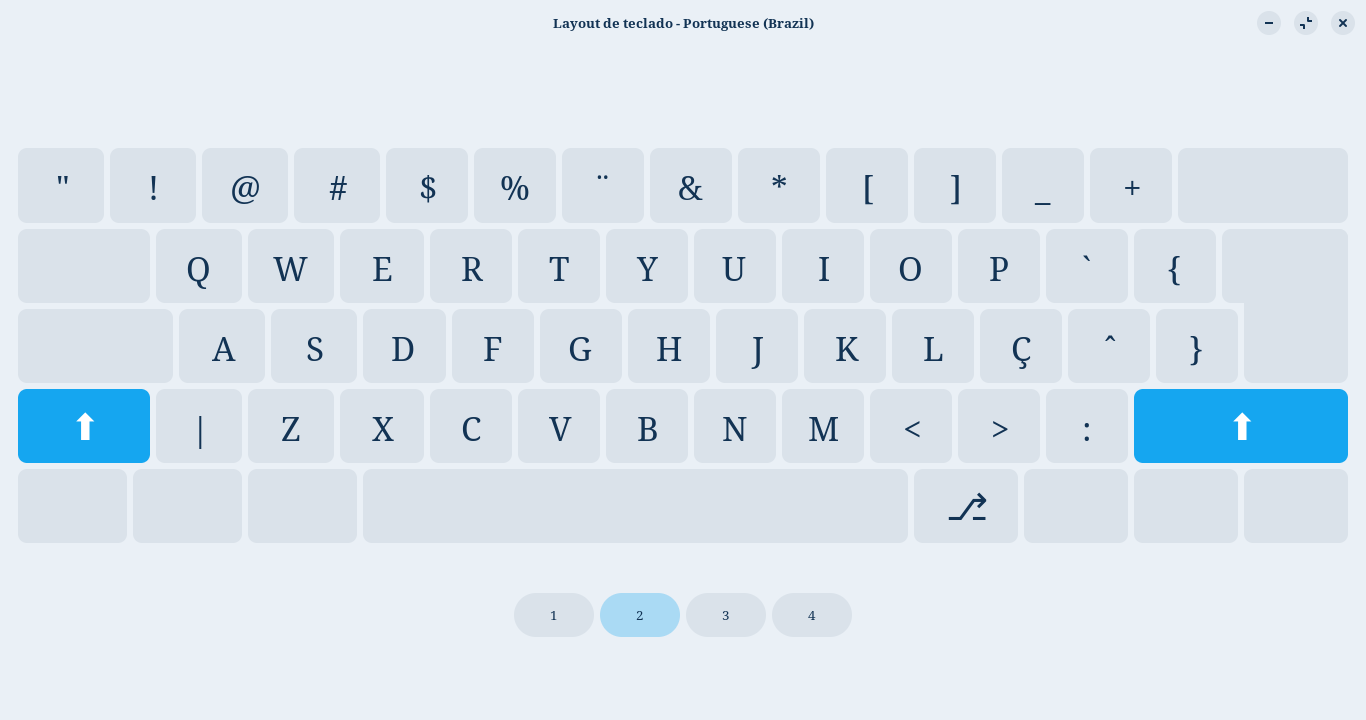
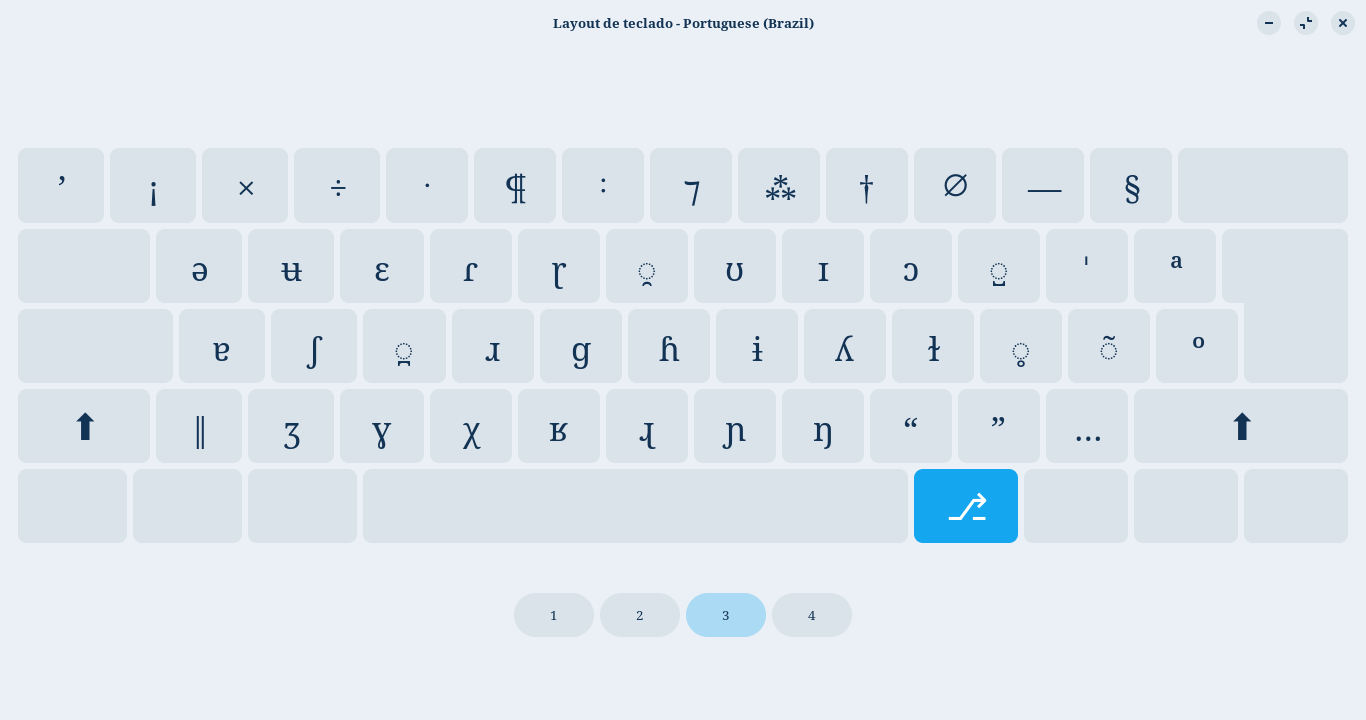
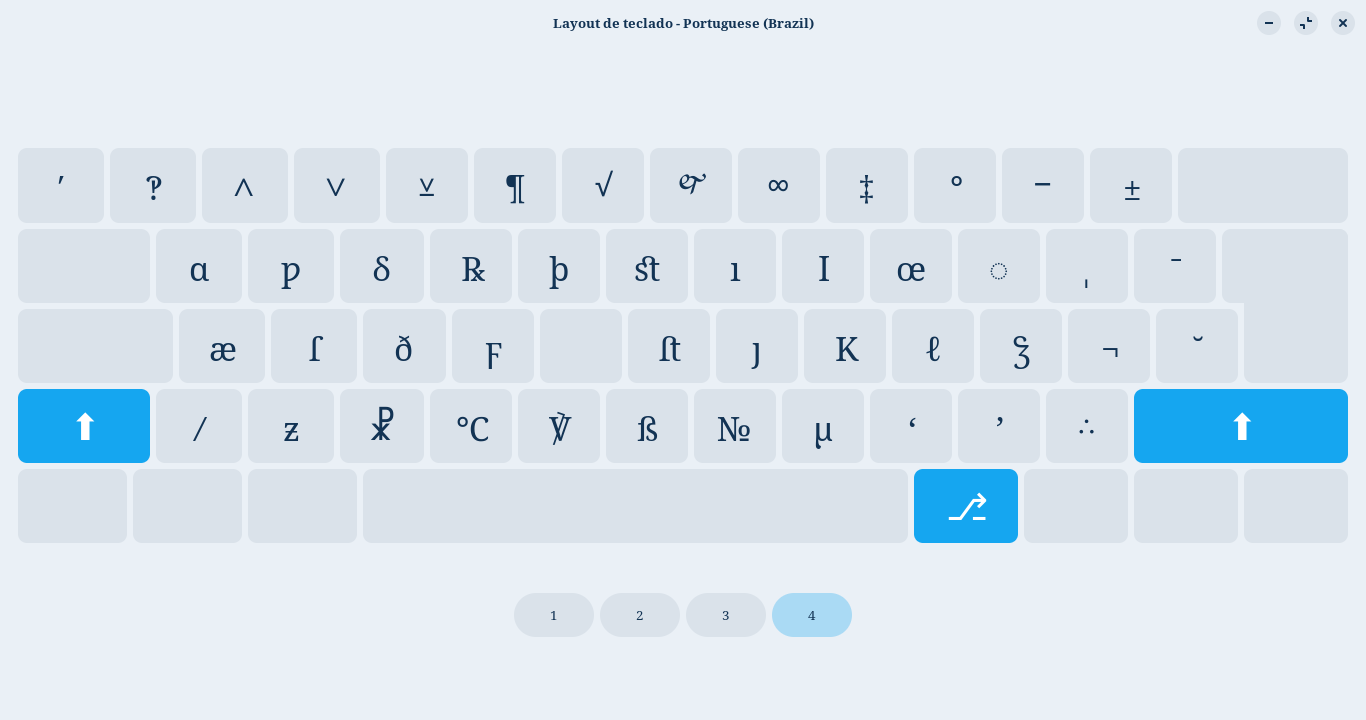
Como adicionar um "user-defined custom layout" no Zorin OS Core?

Sou iniciante nos sistemas derivados de Linux, hoje é literalmente meu quarto dia. Também tenho pouquíssimo conhecimento sobre programação e coisas relacionadas.

Eu estudo Fonologia e gostaria de criar um layout de teclado especial para mim, pois, nesse campo de estudos, é preciso trabalhar o tempo todo com caracteres especiais do IPA (Internationtal Phonetic Alphabet).

Mas tenho encontrado dificuldades para poder fazer um teclado próprio.


Em Configurações/Teclado/Fontes de entrada/Adicionar fonte de entrada/Outro, aparece a opção A user-defined custom Layout:
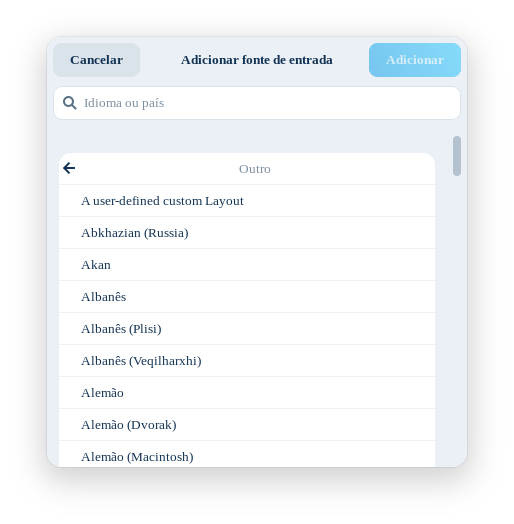
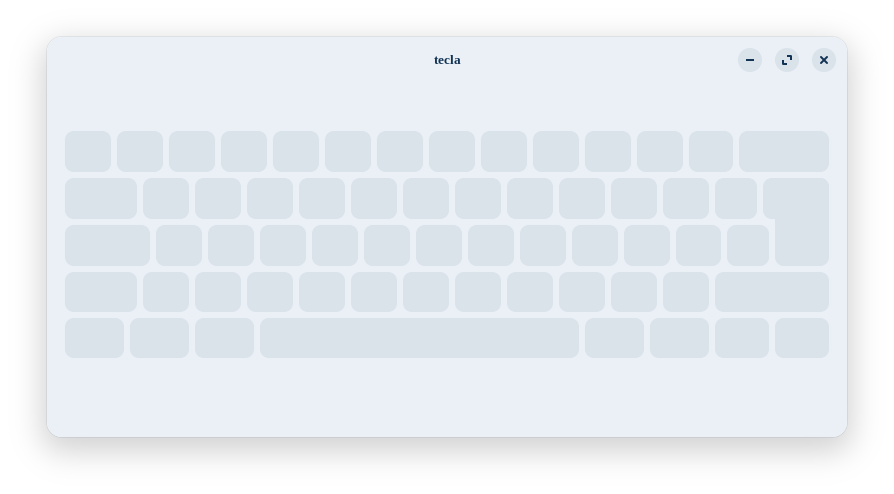
Não consegui achar um jeito de fazer a opção funcionar, sempre aparece vazio:
Procurando um pouco, cheguei nesta discussão do Reddit: Reddit - Please wait for verification

Cheguei até os arquivos que foram apontados por moigagoo:

  1. Symbols (BR): /usr/share/X11/xkb/symbols/br (a postagem aponta para “us”, mas para mim faz sentido ir no “br”)
  2. Rules Evdev: /usr/share/X11/xkb/rules/evdev.XML

Seguindo o que entendo ser a lógica do que está escrito no arquivo br, escrevi o seguinte texto(?) e coloquei-o no final do arquivo:

//
// TECLADO PT-BR PESSOAL
//
// Jacobus Sanctorum 2026-04-11
//
xkb_symbols "my_custom_layout" {
    include "latin"
    name[Group1]="Portuguese (Brazil)(Pessoal)";
    
// Numeric row
    key <TLDE> { [ apostrophe,       quotedbl                            ] };
    key <AE01> { [          1,         exclam,   onesuperior, exclamdown ] };
    key <AE02> { [          2,             at,   twosuperior             ] };
    key <AE03> { [          3,     numbersign, threesuperior             ] };
    key <AE04> { [          4,         dollar,      sterling             ] };
    key <AE05> { [          5,        percent,          cent             ] };
    key <AE06> { [          6, dead_diaeresis,       notsign,  diaeresis ] };
    key <AE07> { [          7,      ampersand                            ] };
    key <AE08> { [          8,       asterisk                            ] };
    key <AE09> { [          9,      parenleft                            ] };
    key <AE10> { [          0,     parenright                            ] };
    key <AE11> { [      minus,     underscore                            ] };
    key <AE12> { [      equal,           plus,       section             ] };
    
// Upper row
    key <AD01> { [            q,          Q                           ] };
    key <AD02> { [            w,          W, 0x01000289               ] };
    key <AD03> { [            e,          E, 0x0100025B               ] };
    key <AD04> { [            r,          R, 0x0100027E, 0x0100027D   ] };
    key <AD05> { [            t,          T, 0x0100027B               ] };
    key <AD06> { [            y,          Y                           ] };
    key <AD07> { [            u,          U, 0x0100028A               ] };
    key <AD08> { [            i,          I, 0x0100026A               ] };
    key <AD09> { [            o,          O, 0x01000254               ] };
    key <AD10> { [            p,          P                           ] };
    key <AD11> { [   dead_acute, dead_grave,  0x010002C8,  0x010002CC ] };
    key <AD12> { [  bracketleft,  braceleft, ordfeminine, dead_macron ] };

// Central row
    key <AC01> { [            a,               A, 0x01000250, 0x01000259 ] };
    key <AC02> { [            s,               S, 0x01000283             ] };
    key <AC03> { [            d,               D                         ] };
    key <AC04> { [            f,               F, 0x01000279             ] };
    key <AC05> { [            g,               G, 0x01000261             ] };
    key <AC06> { [            h,               H, 0x01000266             ] };
    key <AC07> { [            j,               J, 0x01000268             ] };
    key <AC08> { [            k,               K, 0x0100028E             ] };
    key <AC09> { [            l,               L, 0x0100026B             ] };
    key <AC10> { [            ç,               Ç                         ] };
    key <AC11> { [   dead_tilde, dead_circumflex, 0x01000303             ] };
    key <BKSL> { [ bracketright,      braceright,  masculine, dead_breve ] };

// Lower row
    key <LSGT> { [ backslash,     bar                         ] };
    key <AB01> { [         z,       Z, 0x01000292             ] };
    key <AB02> { [         x,       X, 0x01000263             ] };
    key <AB03> { [         c,       C, 0x010003C7, 0x01000281 ] };
    key <AB04> { [         v,       V                         ] };
    key <AB05> { [         b,       B                         ] };
    key <AB06> { [         n,       N, 0x01000272             ] };
    key <AB07> { [         m,       M, 0x0100014B             ] };
    key <AB08> { [     comma,    less                         ] };
    key <AB09> { [    period, greater                         ] };
    key <AB10> { [ semicolon,   colon                         ] };

    key <SPCE> { [     space, space                       ] };
    key <AB11> { [ backslash,   bar, degree, questiondown ] };

    include "kpdl(comma)"
    
    include "level3(ralt_switch)"

};

Não adiantou…


Fui atrás do arquivo evdev, não compreendi uma palavra dele, :smile: .


Alguém saberia como fazer isso?

De preferência, sem baixar nenhum programa.
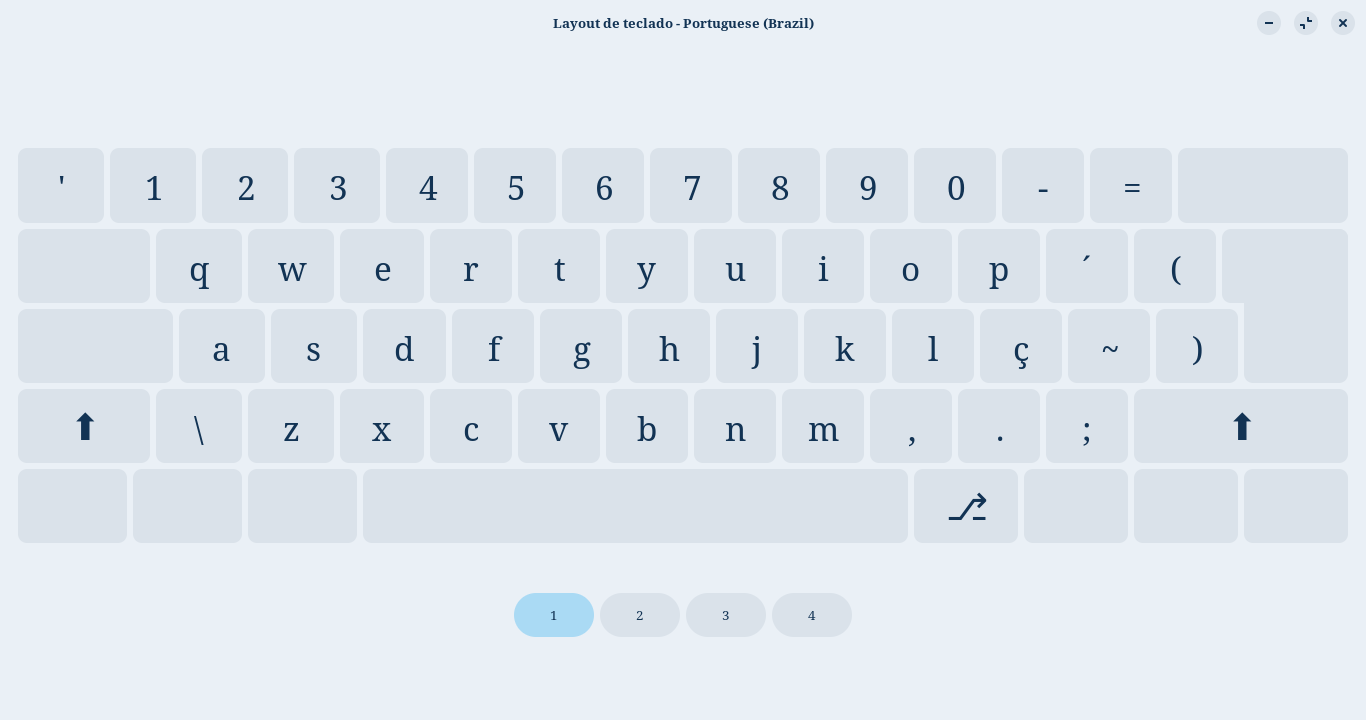
Resolvi as minhas necessidades com uma gambiarra, ao invés de tentar adicionar um novo layout, modifiquei o original.

Transformei este layout:

// Keyboard layouts for Brazil.

default
xkb_symbols "abnt2" {

    // Based on a very simple Brazilian ABNT2 keyboard,
    // by Ricardo Y. Igarashi (iga@that.com.br).
    // With added support for dead keys in I18N applications,
    // by Conectiva  (http://www.conectiva.com.br).

    include "latin"
    name[Group1]="Portuguese (Brazil)";

    key <TLDE> { [   apostrophe,       quotedbl,       notsign,         notsign ] };
    key <AE02> { [            2,             at,   twosuperior,         onehalf ] };
    key <AE03> { [            3,     numbersign, threesuperior,   threequarters ] };
    key <AE04> { [            4,         dollar,      sterling,      onequarter ] };
    key <AE05> { [            5,        percent,          cent,    threeeighths ] };
    key <AE06> { [            6, dead_diaeresis,       notsign,       diaeresis ] };
    key <AE12> { [        equal,           plus,       section,     dead_ogonek ] };

    key <AD01> { [            q,              Q,         slash,           slash ] };
    key <AD02> { [            w,              W,      question,        question ] };
    key <AD03> { [            e,              E,        degree,          degree ] };
    key <AD04> { [            r,              R,    registered,      registered ] };
    key <AD11> { [   dead_acute,     dead_grave,         acute,           grave ] };
    key <AD12> { [  bracketleft,      braceleft,   ordfeminine,     dead_macron ] };
    key <BKSL> { [ bracketright,     braceright,     masculine,       masculine ] };

    key <AC10> { [     ccedilla,       Ccedilla,    dead_acute,dead_doubleacute ] };
    key <AC11> { [   dead_tilde,dead_circumflex,    asciitilde,     asciicircum ] };

    key <LSGT> { [    backslash,            bar,    dead_caron,      dead_breve ] };
    key <AB03> { [            c,              C,     copyright,       copyright ] };
    key <AB07> { [            m,              M,            mu,              mu ] };
    key <AB10> { [    semicolon,          colon, dead_belowdot,   dead_abovedot ] };

    // The ABNT-2 keyboard has this special key:
    key <AB11> { [        slash,       question,        degree,    questiondown ] };

    modifier_map Mod3   { Scroll_Lock };

    include "kpdl(comma)"

    include "level3(ralt_switch)"
};

Neste layout:

// Keyboard layouts for Brazil.

default
xkb_symbols "abnt2" {

    // Based on a very simple Brazilian ABNT2 keyboard,
    // by Ricardo Y. Igarashi (iga@that.com.br).
    // With added support for dead keys in I18N applications,
    // by Conectiva  (http://www.conectiva.com.br).
    // Modificado amplamente para transformar o terceiro nível em símbolos do IPA para o Português
    // por Jacobus Sanctorum.

    include "latin"
    name[Group1]="Portuguese (Brazil)";

    key <TLDE> { [ apostrophe,       quotedbl, 0x010002BC, 0x01002032 ] };
    key <AE01> { [          1,         exclam, exclamdown, 0x0100203D ] };
    key <AE02> { [          2,             at, 0x010000D7, 0x01002227 ] };
    key <AE03> { [          3,     numbersign, 0x010000F7, 0x01002228 ] };
    key <AE04> { [          4,         dollar, 0x010022C5, 0x010022BB ] };
    key <AE05> { [          5,        percent, 0x01002E3F, 0x010000B6 ] };
    key <AE06> { [          6, dead_diaeresis, 0x01002236, 0x0100221A ] };
    key <AE07> { [          7,      ampersand, 0x0100204A, 0x0101F670 ] };
    key <AE08> { [          8,       asterisk, 0x01002042, 0x0100221E ] };
    key <AE09> { [          9,    bracketleft, 0x01002020, 0x01002021 ] };
    key <AE10> { [          0,   bracketright, 0x01002205, 0x010000B0 ] };
    key <AE11> { [      minus,     underscore, 0x01002014, 0x01002212 ] };
    key <AE12> { [      equal,           plus,    section, 0x010000B1 ] };

    key <AD01> { [          q,          Q, 0x01000259,   0x01000251 ] };
    key <AD02> { [          w,          W, 0x01000289,   0x010001BF ] };
    key <AD03> { [          e,          E, 0x0100025B,   0x01001E9F ] };
    key <AD04> { [          r,          R, 0x0100027E,   0x0100211E ] };
    key <AD05> { [          t,          T, 0x0100027D,   0x010000FE ] };
    key <AD06> { [          y,          Y, 0x0100032F,   0x0100FB06 ] };
    key <AD07> { [          u,          U, 0x0100028A,   0x01000131 ] };
    key <AD08> { [          i,          I, 0x0100026A,   0x0100A7FE ] };
    key <AD09> { [          o,          O, 0x01000254,   0x01000153 ] };
    key <AD10> { [          p,          P, 0x0100033A,   0x010025CC ] };
    key <AD11> { [ dead_acute, dead_grave,  0x010002C8,  0x010002CC ] };
    key <AD12> { [  parenleft,  braceleft, ordfeminine, dead_macron ] };
    key <BKSL> { [ parenright, braceright,   masculine,  dead_breve ] };
 
    key <AC01> { [            a,               A, 0x01000250, 0x010000E6 ] };
    key <AC02> { [            s,               S, 0x01000283, 0x0100017F ] };
    key <AC03> { [            d,               D, 0x0100032A, 0x010000F0 ] };
    key <AC04> { [            f,               F, 0x01000279, 0x010003DD ] };
    key <AC05> { [            g,               G, 0x01000261,      space ] };
    key <AC06> { [            h,               H, 0x01000266, 0x0100FB05 ] };
    key <AC07> { [            j,               J, 0x01000268, 0x01000237 ] };
    key <AC08> { [            k,               K, 0x0100028E, 0x0100212A ] };
    key <AC09> { [            l,               L, 0x0100026B, 0x01002113 ] };
    key <AC10> { [     ccedilla,        Ccedilla, 0x01000325, 0x0100A763 ] };
    key <AC11> { [   dead_tilde, dead_circumflex, 0x01000303,    notsign ] };

    key <LSGT> { [ backslash,      bar,   0x01002016, 0x01002044 ] };
    key <AB01> { [         z,        Z,   0x01000292, 0x010001B6 ] };
    key <AB02> { [         x,        X,   0x01000263, 0x01002627 ] };
    key <AB03> { [         c,        C,   0x010003C7, 0x01002103 ] };
    key <AB04> { [         v,        V,   0x01000281, 0x01002123 ] };
    key <AB05> { [         b,        B,   0x0100027B, 0x010000DF ] };
    key <AB06> { [         n,        N,   0x01000272, 0x01002116 ] };
    key <AB07> { [         m,        M,   0x0100014B, 0x010000B5 ] };
    key <AB08> { [     comma,     less,   0x0100201C, 0x01002018 ] };
    key <AB09> { [    period,  greater,   0x0100201D, 0x01002019 ] };
    key <AB10> { [ semicolon,    colon,   0x01002026, 0x01002234 ] };

    // The ABNT-2 keyboard has this special key:
    key <AB11> { [     slash, question, questiondown, 0x01002E18 ] };

    modifier_map Mod3   { Scroll_Lock };

    include "kpdl(comma)"

    include "level3(ralt_switch)"
};

Ficando tudo normal:


Um dos segredos é reiniciar o computador depois de editar o documento BR (ou de qualquer outra língua).


Coloquei tudo isso aqui para ajudar alguém que no futuro tenha alguma dúvida parecida.

1 curtida