Bluetooth não reconhece dispositivos próximos - Fedora 43

Estou com dificuldades em conectar meu dispositivo a aparelhos via Bluetooth. Utilizo o Fedora no GNOME 49, em um notebook Asus TUF F-16.

Tentei usar alguns comandos no terminal, e eles identificam o driver e reconhecem o funcionamento.

lsusb | grep -i blue
Bus 003 Device 004: ID 13d3:3571 IMC Networks Bluetooth Radio
systemctl status bluetooth
● bluetooth.service - Bluetooth service
     Loaded: loaded (/usr/lib/systemd/system/bluetooth.service; enabled; preset: enabled)
    Drop-In: /usr/lib/systemd/system/service.d
             └─10-timeout-abort.conf
     Active: active (running) since Fri 2026-07-24 21:19:23 -03; 59min ago
 Invocation: b0e42976f3ca40fba930ee839857c7fb
       Docs: man:bluetoothd(8)
   Main PID: 876 (bluetoothd)
     Status: "Running"
      Tasks: 1 (limit: 18514)
     Memory: 2.4M (peak: 4.9M)
        CPU: 56ms
     CGroup: /system.slice/bluetooth.service
             └─876 /usr/libexec/bluetooth/bluetoothd -d

jul 24 22:06:44 asus-tuf-f16 bluetoothd[876]: src/adapter.c:new_settings_callback() Settings: 0x000e0ac0
jul 24 22:06:44 asus-tuf-f16 bluetoothd[876]: src/adapter.c:settings_changed() Changed settings: 0x00000001
jul 24 22:06:44 asus-tuf-f16 bluetoothd[876]: src/adapter.c:settings_changed() Pending settings: 0x00000000
jul 24 22:06:44 asus-tuf-f16 bluetoothd[876]: src/adapter.c:cancel_passive_scanning()
jul 24 22:06:44 asus-tuf-f16 bluetoothd[876]: src/adapter.c:adapter_stop() adapter /org/bluez/hci0 has been disabled
jul 24 22:06:44 asus-tuf-f16 bluetoothd[876]: [signal] org.freedesktop.DBus.Properties.PropertiesChanged
jul 24 22:06:44 asus-tuf-f16 bluetoothd[876]: src/rfkill.c:rfkill_event() RFKILL event idx 0 type 2 op 2 soft 1 hard 0
jul 24 22:06:44 asus-tuf-f16 bluetoothd[876]: src/rfkill.c:rfkill_event() RFKILL unblock for hci0
jul 24 22:06:44 asus-tuf-f16 bluetoothd[876]: src/adapter.c:adapter_set_power_state() off-blocked
jul 24 22:06:44 asus-tuf-f16 bluetoothd[876]: [signal] org.freedesktop.DBus.Properties.PropertiesChanged
sudo dmesg | grep Bluetooth
[    1.418655] usb 3-10: Product: Bluetooth Radio
[    6.039362] Bluetooth: Core ver 2.22
[    6.039390] Bluetooth: HCI device and connection manager initialized
[    6.039395] Bluetooth: HCI socket layer initialized
[    6.039397] Bluetooth: L2CAP socket layer initialized
[    6.039402] Bluetooth: SCO socket layer initialized
[    6.120445] Bluetooth: hci0: RTL: examining hci_ver=0b hci_rev=000b lmp_ver=0b lmp_subver=8852
[    6.121549] Bluetooth: hci0: RTL: rom_version status=0 version=1
[    6.122432] Bluetooth: hci0: RTL: btrtl_initialize: key id 0
[    6.122436] Bluetooth: hci0: RTL: loading rtl_bt/rtl8852bu_fw.bin
[    6.130433] Bluetooth: hci0: RTL: loading rtl_bt/rtl8852bu_config.bin
[    6.131853] Bluetooth: hci0: RTL: cfg_sz 6, total sz 62539
[    6.483429] Bluetooth: hci0: RTL: fw version 0x127cfd78
[    6.567440] Bluetooth: hci0: AOSP extensions version v1.00
[    6.592584] Bluetooth: BNEP (Ethernet Emulation) ver 1.3
[    6.592590] Bluetooth: BNEP filters: protocol multicast
[    6.592594] Bluetooth: BNEP socket layer initialized
[    6.594404] Bluetooth: MGMT ver 1.23
[    8.677261] Bluetooth: RFCOMM TTY layer initialized
[    8.677270] Bluetooth: RFCOMM socket layer initialized
[    8.677277] Bluetooth: RFCOMM ver 1.11
[ 2844.441556] Bluetooth: hci0: AOSP extensions version v1.00
systemctl status systemd-rfkill.service
○ systemd-rfkill.service - Load/Save RF Kill Switch Status
     Loaded: loaded (/usr/lib/systemd/system/systemd-rfkill.service; static)
    Drop-In: /usr/lib/systemd/system/service.d
             └─10-timeout-abort.conf
     Active: inactive (dead) since Fri 2026-07-24 22:06:49 -03; 13min ago
   Duration: 8.642s
 Invocation: 8ce91ec36eaf4df5a420be86fe742965
TriggeredBy: ● systemd-rfkill.socket
       Docs: man:systemd-rfkill.service(8)
    Process: 15513 ExecStart=/usr/lib/systemd/systemd-rfkill (code=exited, status=0/SUCCESS)
   Main PID: 15513 (code=exited, status=0/SUCCESS)
   Mem peak: 2.7M
        CPU: 21ms

jul 24 22:06:40 asus-tuf-f16 systemd[1]: Starting systemd-rfkill.service - Load/Save RF Kill Switch Status...
jul 24 22:06:40 asus-tuf-f16 systemd[1]: Started systemd-rfkill.service - Load/Save RF Kill Switch Status.
jul 24 22:06:49 asus-tuf-f16 systemd[1]: systemd-rfkill.service: Deactivated successfully.

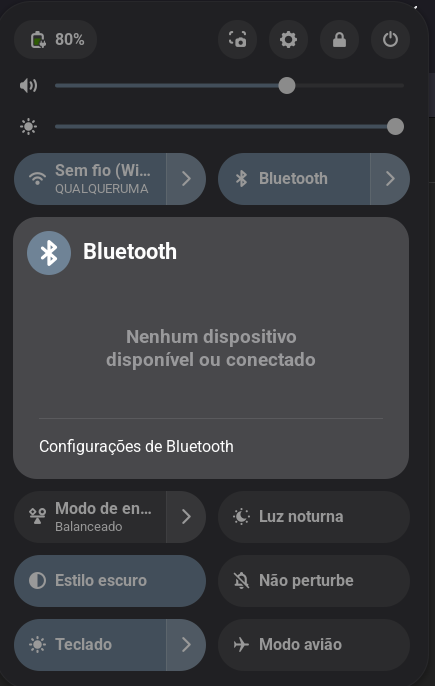
Porém, toda vez que ligo o bluetooth para parear com aparelhos próximos, simplesmente ele não reconhece nenhum deles.
Veja

Pairing and connectivity issues

Computer is not visible

Enable discoverable mode if your computer cannot be discovered from your phone:

# bluetoothctl discoverable on

Verify that discoverable mode is on:

# bluetoothctl show
	Powered: yes
	Discoverable: yes
	Pairable: yes

NoteCheck DiscoverableTimeout and PairableTimeout in /etc/bluetooth/main.conf.

If the computer still does not show up, try changing the device class in /etc/bluetooth/main.conf as follows:

# Default device class. Only the major and minor device class bits are
# considered.
#Class = 0x000100 # Computer Type (from default config)
Class = 0x100100 # (Object-Transfer Service & Computer Type)

NoteIn some cases, Class in main.conf gets overridden after device initialization, so set the class directly with hciconfig hci0 class 100100.

A user reported that this was the only solution to make their computer visible for their phone. LG TVs (and some others) are discoverable from their audio devices, so using 000414 (the soundbar class) will make such devices appear.

See Bluetooth Class of Device/Service (CoD) Generator to generate Bluetooth device/service classes.

Outra coisa , tá acabando a bateria kkk

Veja se tem o parametro btcoex_enable=1 no drive.

Talvez tenha que ativar.

Veja com

modinfo módulo

fui checar o bluetooth ctl show:

bluetoothctl show
Controller 50:2E:91:92:7F:41 (public)
	Manufacturer: 0x005d (93)
	Version: 0x0b (11)
	Name: Asus TUF F16
	Alias: Asus TUF F16
	Class: 0x007c010c (8126732)
	Powered: yes
	PowerState: on
	Discoverable: no
	DiscoverableTimeout: 0x000000b4 (180)
	Pairable: no
	UUID: Message Notification Se.. (00001133-0000-1000-8000-00805f9b34fb)
	UUID: A/V Remote Control        (0000110e-0000-1000-8000-00805f9b34fb)
	UUID: Vendor specific           (03b80e5a-ede8-4b33-a751-6ce34ec4c700)
	UUID: OBEX Object Push          (00001105-0000-1000-8000-00805f9b34fb)
	UUID: Message Access Server     (00001132-0000-1000-8000-00805f9b34fb)
	UUID: PnP Information           (00001200-0000-1000-8000-00805f9b34fb)
	UUID: IrMC Sync                 (00001104-0000-1000-8000-00805f9b34fb)
	UUID: Vendor specific           (00005005-0000-1000-8000-0002ee000001)
	UUID: A/V Remote Control Target (0000110c-0000-1000-8000-00805f9b34fb)
	UUID: Generic Attribute Profile (00001801-0000-1000-8000-00805f9b34fb)
	UUID: Phonebook Access Server   (0000112f-0000-1000-8000-00805f9b34fb)
	UUID: Audio Sink                (0000110b-0000-1000-8000-00805f9b34fb)
	UUID: Device Information        (0000180a-0000-1000-8000-00805f9b34fb)
	UUID: Generic Access Profile    (00001800-0000-1000-8000-00805f9b34fb)
	UUID: Phonebook Access Client   (0000112e-0000-1000-8000-00805f9b34fb)
	UUID: Handsfree Audio Gateway   (0000111f-0000-1000-8000-00805f9b34fb)
	UUID: Audio Source              (0000110a-0000-1000-8000-00805f9b34fb)
	UUID: OBEX File Transfer        (00001106-0000-1000-8000-00805f9b34fb)
	UUID: Handsfree                 (0000111e-0000-1000-8000-00805f9b34fb)
	Modalias: usb:v1D6Bp0246d0557
	Discovering: no
	Roles: central
	Roles: peripheral
Advertising Features:
	ActiveInstances: 0x00 (0)
	SupportedInstances: 0x10 (16)
	SupportedIncludes: tx-power
	SupportedIncludes: appearance
	SupportedIncludes: local-name
	SupportedSecondaryChannels: 1M
	SupportedSecondaryChannels: 2M
	SupportedSecondaryChannels: Coded
	SupportedCapabilities.MinTxPower: 0x0001 (1)
	SupportedCapabilities.MaxTxPower: 0x001d (29)
	SupportedCapabilities.MaxAdvLen: 0xfb (251)
	SupportedCapabilities.MaxScnRspLen: 0xfb (251)
	SupportedFeatures: CanSetTxPower
	SupportedFeatures: HardwareOffload

Depois, fui conferir o arquivo main.conf:

Resumo

[General]

Default adapter name

Defaults to ‘BlueZ X.YZ’

#Name = BlueZ

Default device class. Only the major and minor device class bits are

considered. Defaults to ‘0x000000’.

#Class = 0x000100
Class = 0x000100

How long to stay in discoverable mode before going back to non-discoverable

The value is in seconds. Default is 180, i.e. 3 minutes.

0 = disable timer, i.e. stay discoverable forever

DiscoverableTimeout = 360

Always allow pairing even if there are no agent registered

Possible values: true, false

Default: false

#AlwaysPairable = false

How long to stay in pairable mode before going back to non-discoverable

The value is in seconds. Default is 0.

0 = disable timer, i.e. stay pairable forever

#PairableTimeout = 0

Use vendor id source (assigner), vendor, product and version information for

DID profile support. The values are separated by “:” and assigner, VID, PID

and version.

Possible vendor id source values: bluetooth, usb (default) or false (disabled)

#DeviceID = bluetooth:1234:5678:abcd

Do reverse service discovery for previously unknown devices that connect to

us. For BR/EDR this option is really only needed for qualification since the

BITE tester doesn’t like us doing reverse SDP for some test cases, for LE

this disables the GATT client functionally so it can be used in system which

can only operate as peripheral (see also GATT Client option).

Defaults to ‘true’.

#ReverseServiceDiscovery = true

Enable name resolving after inquiry. Set it to ‘false’ if you don’t need

remote devices name and want shorter discovery cycle. Defaults to ‘true’.

#NameResolving = true

Enable runtime persistency of debug link keys. Default is false which

makes debug link keys valid only for the duration of the connection

that they were created for.

#DebugKeys = false

Restricts all controllers to the specified transport. Default value

is “dual”, i.e. both BR/EDR and LE enabled (when supported by the HW).

Possible values: “dual”, “bredr”, “le”

#ControllerMode = dual

Maximum number of controllers allowed to be exposed to the system.

Default=0 (unlimited)

#MaxControllers=0

Enables Multi Profile Specification support. This allows to specify if

system supports only Multiple Profiles Single Device (MPSD) configuration

or both Multiple Profiles Single Device (MPSD) and Multiple Profiles Multiple

Devices (MPMD) configurations.

Possible values: “off”, “single”, “multiple”

#MultiProfile = off

Permanently enables the Fast Connectable setting for adapters that

support it. When enabled other devices can connect faster to us,

however the tradeoff is increased power consumptions. This feature

will fully work only on kernel version 4.1 and newer. Defaults to

‘false’.

#FastConnectable = false

Default privacy setting.

Enables use of private address.

Possible values for LE mode: “off”, “network/on”, “device”

Possible values for Dual mode: “off”, “network/on”, “device”,

“limited-network”, “limited-device”

- off: Local privacy disabled.

- network/on: A device will only accept advertising packets from peer

devices that contain private addresses. It may not be compatible with some

legacy devices since it requires the use of RPA(s) all the time.

- device: A device in device privacy mode is only concerned about the

privacy of the device and will accept advertising packets from peer devices

that contain their Identity Address as well as ones that contain a private

address, even if the peer device has distributed its IRK in the past.

- limited-network: Apply Limited Discoverable Mode to advertising, which

follows the same policy as to BR/EDR that publishes the identity address when

discoverable, and Network Privacy Mode for scanning.

- limited-device: Apply Limited Discoverable Mode to advertising, which

follows the same policy as to BR/EDR that publishes the identity address when

discoverable, and Device Privacy Mode for scanning.

Defaults to “off”

#Privacy = off

Specify the policy to the JUST-WORKS repairing initiated by peer

Possible values: “never”, “confirm”, “always”

Defaults to “never”

#JustWorksRepairing = never

How long to keep temporary devices around

The value is in seconds. Default is 30.

0 = disable timer, i.e. temporary devices stay around forever

#TemporaryTimeout = 30

Enables the device to issue an SDP request to update known services when

profile is connected. Defaults to true.

#RefreshDiscovery = true

Default Secure Connections setting.

Enables the Secure Connections setting for adapters that support it. It

provides better crypto algorithms for BT links and also enables CTKD (cross

transport key derivation) during pairing on any link.

Possible values: “off”, “on”, “only”

- “off”: Secure Connections are disabled

- “on”: Secure Connections are enabled when peer device supports them

- “only”: we allow only Secure Connections

Defaults to “on”

#SecureConnections = on

Enables D-Bus experimental interfaces

Possible values: true or false

#Experimental = false

Enables D-Bus testing interfaces

Possible values: true or false

#Testing = false

Enables kernel experimental features, alternatively a list of UUIDs

can be given.

Possible values: true,false,

Possible UUIDS:

d4992530-b9ec-469f-ab01-6c481c47da1c (BlueZ Experimental Debug)

671b10b5-42c0-4696-9227-eb28d1b049d6 (BlueZ Experimental Simultaneous Central and Peripheral)

15c0a148-c273-11ea-b3de-0242ac130004 (BlueZ Experimental LL privacy)

330859bc-7506-492d-9370-9a6f0614037f (BlueZ Experimental Bluetooth Quality Report)

a6695ace-ee7f-4fb9-881a-5fac66c629af (BlueZ Experimental Offload Codecs)

6fbaf188-05e0-496a-9885-d6ddfdb4e03e (BlueZ Experimental ISO socket)

Defaults to false.

#KernelExperimental = false

The duration to avoid retrying to resolve a peer’s name, if the previous

try failed.

The value is in seconds. Default is 300, i.e. 5 minutes.

#RemoteNameRequestRetryDelay = 300

Filter out non-discoverable devices based on discoverable flags (General or

Limited).

Defaults to true

Setting to false is only recommended for an use-case where non-discoverable

device must be enumerated due to some requirement (e.g. not using GAP

discoverable modes for some odd reason which seems to be the behavior of

some stacks) or when testing bad/unintended behavior.

#FilterDiscoverable = true

[BR]

The following values are used to load default adapter parameters for BR/EDR.

BlueZ loads the values into the kernel before the adapter is powered if the

kernel supports the MGMT_LOAD_DEFAULT_PARAMETERS command. If a value isn’t

provided, the kernel will be initialized to it’s default value. The actual

value will vary based on the kernel version and thus aren’t provided here.

The Bluetooth Core Specification should be consulted for the meaning and valid

domain of each of these values.

BR/EDR Page scan activity configuration

#PageScanType=
#PageScanInterval=
#PageScanWindow=

BR/EDR Inquiry scan activity configuration

#InquiryScanType=
#InquiryScanInterval=
#InquiryScanWindow=

BR/EDR Link supervision timeout

#LinkSupervisionTimeout=

BR/EDR Page Timeout

#PageTimeout=

BR/EDR Connection Idle Timeout

#IdleTimeout=

BR/EDR Sniff Intervals

#MinSniffInterval=
#MaxSniffInterval=

[LE]

Enable/Disable Central Address Resolution.

0: disable

1: enable

Defaults to 1

#CentralAddressResolution = 1

The following values are used to load default adapter parameters for LE.

BlueZ loads the values into the kernel before the adapter is powered if the

kernel supports the MGMT_LOAD_DEFAULT_PARAMETERS command. If a value isn’t

provided, the kernel will be initialized to it’s default value. The actual

value will vary based on the kernel version and thus aren’t provided here.

The Bluetooth Core Specification should be consulted for the meaning and valid

domain of each of these values.

LE advertisement interval (used for legacy advertisement interface only)

#MinAdvertisementInterval=
#MaxAdvertisementInterval=
#MultiAdvertisementRotationInterval=

LE scanning parameters used for passive scanning supporting auto connect

scenarios

#ScanIntervalAutoConnect=
#ScanWindowAutoConnect=

LE scanning parameters used for passive scanning supporting wake from suspend

scenarios

#ScanIntervalSuspend=
#ScanWindowSuspend=

LE scanning parameters used for active scanning supporting discovery

procedure

#ScanIntervalDiscovery=
#ScanWindowDiscovery=

LE scanning parameters used for passive scanning supporting the advertisement

monitor Apis

#ScanIntervalAdvMonitor=
#ScanWindowAdvMonitor=

LE scanning parameters used for connection establishment.

#ScanIntervalConnect=
#ScanWindowConnect=

LE default connection parameters. These values are superseded by any

specific values provided via the Load Connection Parameters interface

#MinConnectionInterval=
#MaxConnectionInterval=
#ConnectionLatency=
#ConnectionSupervisionTimeout=
#Autoconnecttimeout=

Scan duration during interleaving scan. Only used when scanning for ADV

monitors. The units are msec.

Default: 300

#AdvMonAllowlistScanDuration=

Default: 500

#AdvMonNoFilterScanDuration=

Enable/Disable Advertisement Monitor interleave scan for power saving.

0: disable

1: enable

Defaults to 1

#EnableAdvMonInterleaveScan=

[GATT]

GATT attribute cache.

Possible values:

always: Always cache attributes even for devices not paired, this is

recommended as it is best for interoperability, with more consistent

reconnection times and enables proper tracking of notifications for all

devices.

yes: Only cache attributes of paired devices.

no: Never cache attributes

Default: always

cache = always

This enables the GATT client functionally, so it can be disabled in system

which can only operate as a peripheral.

Defaults to ‘true’.

#Client = true

Minimum required Encryption Key Size for accessing secured characteristics.

Possible values: 0 and 7-16. 0 means don’t care.

Defaults to 0

#KeySize = 0

Exchange MTU size.

Possible values: 23-517

Defaults to 517

#ExchangeMTU = 517

Number of ATT channels, 1 is mandatory since it is used for ATT fixed channel

index 2-6 are used for EATT which is optional.

Possible values: 1-6 (1 disables EATT)

Default to 1

#Channels = 1

Export claimed services by plugins

Possible values: no, read-only, read-write

Default: read-only

#ExportClaimedServices = read-only

Security level:

Sets security level of ATT channel, setting security anything other than

auto requires Testing to be set, setting to low disables GATT server

attribite permissions.

Possible values: auto, [low=1, medium=2, high=3, fips=4 (Testing = true)]

Default = auto

Security = auto

[ChannelSounding]

Current role of the device

Possible values:

1 or “Initiator” - CS Initiator role,

Generally, CS Initiator acts as Client (Gatt role) and Central (Gap role)

2 or “Reflector” - CS Reflector role,

Generally, CS Reflector acts as Server (Gatt role) and Peripheral (Gap role)

3 or “Both” - Both Initiator and Reflector roles

Default: 3 (Both)

#Role = 3

Antenna Identifier to be used

Possible values:

0x01-0x04 (antenna identifier to be used),

0xFE - Antennas to be used in repetitive order,

0xFF - Host doesn’t have recommendation

Default: 0xFF (Host doesn’t have recommendation)

#CsSyncAntennaSel = 0xFF

Maximum Transmit power

Possible values: 0x81-0x14 (-127dBm to 20dBm)

Default: 0x14 (Max Power possible)

#MaxTxPower = 0x14

[CSIS]

SIRK - Set Identification Resolution Key which is common for all the

sets. They SIRK key is used to identify its sets. This can be any

128 bit value or a string value (e.g. product name) which is then hashed.

Possible Values:

16 byte hexadecimal value: 861FAE703ED681F0C50B34155B6434FB

String value: “My Product Name”

Defaults to none

#SIRK =

SIRK Encryption

Possible values:

true: Encrypt SIRK when read

false: Do not encrypt SIRK when read. (plaintext)

Defaults to true

#Encryption = true

Total no of sets belongs to this Profile

Defaults to 0

#Size = 0

Rank for the device

Defaults to 0

#Rank = 0

[AVDTP]

AVDTP L2CAP Signalling Channel Mode.

Possible values:

basic: Use L2CAP Basic Mode

ertm: Use L2CAP Enhanced Retransmission Mode

#SessionMode = basic

AVDTP L2CAP Transport Channel Mode.

Possible values:

basic: Use L2CAP Basic Mode

streaming: Use L2CAP Streaming Mode

#StreamMode = basic

[AVRCP]

Allow SetAbsoluteVolume calls to a peer device that does not advertise the

AVRCP remote control target profile. If it does advertise this profile, the

version is ignored.

#VolumeWithoutTarget = false

Validate that remote AVRCP profiles advertise the category-2 bit before

allowing SetAbsoluteVolume calls or registering for EVENT_VOLUME_CHANGED

notifications.

#VolumeCategory = true

[Policy]

The ReconnectUUIDs defines the set of remote services that should try

to be reconnected to in case of a link loss (link supervision

timeout). The policy plugin should contain a sane set of values by

default, but this list can be overridden here. By setting the list to

empty the reconnection feature gets disabled.

#ReconnectUUIDs=00001112-0000-1000-8000-00805f9b34fb,0000111f-0000-1000-8000-00805f9b34fb,0000110a-0000-1000-8000-00805f9b34fb,0000110b-0000-1000-8000-00805f9b34fb

ReconnectAttempts define the number of attempts to reconnect after a link

lost. Setting the value to 0 disables reconnecting feature.

#ReconnectAttempts=7

ReconnectIntervals define the set of intervals in seconds to use in between

attempts.

If the number of attempts defined in ReconnectAttempts is bigger than the

set of intervals the last interval is repeated until the last attempt.

#ReconnectIntervals=1,2,4,8,16,32,64

AutoEnable defines option to enable all controllers when they are found.

This includes adapters present on start as well as adapters that are plugged

in later on. Defaults to ‘true’.

#AutoEnable=true

Audio devices that were disconnected due to suspend will be reconnected on

resume. ResumeDelay determines the delay between when the controller

resumes from suspend and a connection attempt is made. A longer delay is

better for better co-existence with Wi-Fi.

The value is in seconds.

Default: 2

#ResumeDelay = 2

[AdvMon]

Default RSSI Sampling Period. This is used when a client registers an

advertisement monitor and leaves the RSSISamplingPeriod unset.

Possible values:

0x00 Report all advertisements

N = 0xXX Report advertisements every N x 100 msec (range: 0x01 to 0xFE)

0xFF Report only one advertisement per device during monitoring period

Default: 0xFF

#RSSISamplingPeriod=0xFF

Tentei alterar os parâmetros de DiscoverableTimeout e PairableTimeout, e não funcionou

você tentou?

bluetoothctl discoverable on

Power on and set discoverable in bluetoothctl:

  1. Type bluetoothctl.
  2. Enter power on.
  3. Enter discoverable on.
  4. Enter scan on to look for nearby devices.

tente
sudo rfkill unblock bluetooth

segui esse passo-a-passo, mas persiste o problema

veja isso

  • On some laptops (e.g. Dell Studio 15, Lenovo Thinkpad X1) you have to switch the Bluetooth mode from HID to HCI. Install the bluez-hid2hci package, then udev should do this automatically. Alternatively, you can run this command to switch to HCI manually:
# /usr/lib/udev/hid2hci

  • If the device will not show up and you have a Windows operating system on your machine, try booting it and enable the Bluetooth adapter from windows.

  • Sometimes also this simple command helps:

# bluetoothctl power on

qual a saída do comando

lspci -k

ficou assim:

Resumo

0000:00:00.0 Host bridge: Intel Corporation Device a716
DeviceName: Onboard - Other
Subsystem: ASUSTeK Computer Inc. Device 14a3
Kernel driver in use: igen6_edac
Kernel modules: igen6_edac
0000:00:01.0 PCI bridge: Intel Corporation Raptor Lake PCI Express 5.0 Graphics Port (PEG010)
Subsystem: ASUSTeK Computer Inc. Device 190d
Kernel driver in use: pcieport
Kernel modules: shpchp
0000:00:02.0 VGA compatible controller: Intel Corporation Raptor Lake-P [Intel Graphics] (rev 04)
DeviceName: Onboard - Video
Subsystem: ASUSTeK Computer Inc. Device 190d
Kernel driver in use: i915
Kernel modules: i915, xe
0000:00:04.0 Signal processing controller: Intel Corporation Raptor Lake Dynamic Platform and Thermal Framework Processor Participant
DeviceName: Onboard - Other
Subsystem: ASUSTeK Computer Inc. Device 14a3
Kernel driver in use: proc_thermal_pci
Kernel modules: processor_thermal_device_pci
0000:00:06.0 System peripheral: Intel Corporation RST VMD Managed Controller
DeviceName: Onboard - Other
0000:00:08.0 System peripheral: Intel Corporation GNA Scoring Accelerator module
DeviceName: Onboard - Other
0000:00:0d.0 USB controller: Intel Corporation Raptor Lake-P Thunderbolt 4 USB Controller
DeviceName: Onboard - Other
Kernel driver in use: xhci_hcd
Kernel modules: xhci_pci
0000:00:0e.0 RAID bus controller: Intel Corporation RST Volume Management Device Controller
DeviceName: Onboard - Other
Subsystem: Intel Corporation Device 0000
Kernel driver in use: vmd
Kernel modules: vmd
0000:00:14.0 USB controller: Intel Corporation Alder Lake PCH USB 3.2 xHCI Host Controller (rev 01)
DeviceName: Onboard - Other
Subsystem: ASUSTeK Computer Inc. Device 201f
Kernel driver in use: xhci_hcd
Kernel modules: xhci_pci
0000:00:14.2 RAM memory: Intel Corporation Alder Lake PCH Shared SRAM (rev 01)
DeviceName: Onboard - Other
0000:00:15.0 Serial bus controller: Intel Corporation Alder Lake PCH Serial IO I2C Controller #0 (rev 01)
DeviceName: Onboard - Other
Subsystem: ASUSTeK Computer Inc. Device 14a3
Kernel driver in use: intel-lpss
Kernel modules: intel_lpss_pci
0000:00:15.1 Serial bus controller: Intel Corporation Alder Lake PCH Serial IO I2C Controller #1 (rev 01)
DeviceName: Onboard - Other
Subsystem: ASUSTeK Computer Inc. Device 14a3
Kernel driver in use: intel-lpss
Kernel modules: intel_lpss_pci
0000:00:16.0 Communication controller: Intel Corporation Alder Lake PCH HECI Controller (rev 01)
DeviceName: Onboard - Other
Subsystem: ASUSTeK Computer Inc. Device 14a3
Kernel driver in use: mei_me
Kernel modules: mei_me
0000:00:1c.0 PCI bridge: Intel Corporation Device 51be (rev 01)
Kernel driver in use: pcieport
Kernel modules: shpchp
0000:00:1c.7 PCI bridge: Intel Corporation Alder Lake PCH-P PCI Express Root Port #9 (rev 01)
Kernel driver in use: pcieport
Kernel modules: shpchp
0000:00:1f.0 ISA bridge: Intel Corporation Raptor Lake LPC/eSPI Controller (rev 01)
DeviceName: Onboard - Other
Subsystem: ASUSTeK Computer Inc. Device 14a3
0000:00:1f.3 Audio device: Intel Corporation Raptor Lake-P/U/H cAVS (rev 01)
DeviceName: Onboard - Sound
Subsystem: ASUSTeK Computer Inc. Device 1c5f
Kernel driver in use: snd_hda_intel
Kernel modules: snd_soc_avs, snd_sof_pci_intel_tgl, snd_hda_intel
0000:00:1f.4 SMBus: Intel Corporation Alder Lake PCH-P SMBus Host Controller (rev 01)
DeviceName: Onboard - Other
Subsystem: ASUSTeK Computer Inc. Device 14a3
Kernel driver in use: i801_smbus
Kernel modules: i2c_i801
0000:00:1f.5 Serial bus controller: Intel Corporation Alder Lake-P PCH SPI Controller (rev 01)
DeviceName: Onboard - Other
Subsystem: ASUSTeK Computer Inc. Device 14a3
Kernel driver in use: intel-spi
Kernel modules: spi_intel_pci
0000:01:00.0 VGA compatible controller: NVIDIA Corporation GA107BM / GN20-P0-R-K2 [GeForce RTX 3050 6GB Laptop GPU] (rev a1)
Subsystem: ASUSTeK Computer Inc. Device 190d
Kernel driver in use: nouveau
Kernel modules: nouveau
0000:01:00.1 Audio device: NVIDIA Corporation GA107 High Definition Audio Controller (rev a1)
Subsystem: ASUSTeK Computer Inc. Device 190d
Kernel driver in use: snd_hda_intel
Kernel modules: snd_hda_intel
0000:02:00.0 Ethernet controller: Realtek Semiconductor Co., Ltd. RTL8111/8168/8211/8411 PCI Express Gigabit Ethernet Controller (rev 15)
Subsystem: ASUSTeK Computer Inc. Device 209f
Kernel driver in use: r8169
Kernel modules: r8169
0000:03:00.0 Network controller: Realtek Semiconductor Co., Ltd. RTL8852BE PCIe 802.11ax Wireless Network Controller
Subsystem: AzureWave Device 5471
Kernel driver in use: rtw89_8852be
Kernel modules: rtw89_8852be
10000:e0:06.0 PCI bridge: Intel Corporation Raptor Lake PCI Express 4.0 Graphics Port
Kernel driver in use: pcieport
Kernel modules: shpchp
10000:e1:00.0 Non-Volatile memory controller: Shenzhen Longsys Electronics Co., Ltd. FORESEE XP2000, Lexar NM760 NVME SSD (DRAM-less) (rev 03)
Subsystem: Shenzhen Longsys Electronics Co., Ltd. FORESEE XP2000, Lexar NM760 NVME SSD (DRAM-less)
Kernel driver in use: nvme
Kernel modules: nvme

modinfo rtw89_8852be
modinfo rtw89_pci

Qualquer coisa coloque -p no comando, pois só quero ver parameters

Qual a saída?

Veja os dois

Resumo

filename: /lib/modules/7.1.4-100.fc43.x86_64/kernel/drivers/net/wireless/realtek/rtw89/rtw89_8852be.ko.xz
license: Dual BSD/GPL
description: Realtek 802.11ax wireless 8852BE driver
author: Realtek Corporation
alias: pci:v000010ECd0000B85Bsvsdbcsci*
alias: pci:v000010ECd0000B852svsdbcsci*
depends: rtw89_pci,rtw89_8852b
intree: Y
name: rtw89_8852be
retpoline: Y
vermagic: 7.1.4-100.fc43.x86_64 SMP preempt mod_unload
sig_id: PKCS#7
signer: Fedora kernel signing key
sig_key: 11:8D:3D:28:1C:13:63:40:2B:FD:25:7B:A2:E5:2B:2D:ED:6E:AD:AF
sig_hashalgo: sha256
signature: 32:9E:DA:6B:C9:82:4D:EC:98:87:DD:E1:05:66:4B:E8:DA:1B:2B:B1:
B7:04:A4:C4:98:29:91:94:70:31:FE:E3:E8:0D:D7:2B:6C:87:DE:D5:
34:F9:0F:DD:38:9D:50:5D:BA:75:6C:15:B7:F7:F0:58:A8:C4:21:65:
DE:99:AF:51:9E:BF:50:56:0B:89:13:0A:24:A1:81:DF:CC:DF:EB:0D:
BD:22:04:E1:92:64:2B:74:4F:F9:81:35:B6:88:D6:23:6E:6A:3E:4D:
92:BC:24:CC:01:B4:BB:3D:EC:F7:49:7F:68:63:76:74:89:1E:2F:7C:
18:BA:9F:61:56:47:E6:16:82:08:C0:72:1C:2A:A9:AB:4F:B7:98:6F:
DB:61:33:FE:A6:CD:6A:FF:24:F7:31:CD:1A:56:4F:3E:48:73:8C:53:
42:6D:0E:39:CC:18:F2:EF:00:60:54:4F:D6:11:FF:DF:6C:C4:E3:D9:
83:C0:D3:E4:E7:D6:90:A1:1A:18:3C:61:7F:88:4F:91:02:BB:96:7F:
73:76:AD:81:82:42:7C:AF:64:97:30:B6:C6:F6:E8:88:79:31:05:2E:
88:D9:6A:01:8A:84:A1:92:56:B4:D6:41:CA:B5:B2:B3:CF:2E:FD:F7:
04:97:9F:CE:D9:72:49:42:C7:B3:CD:A0:93:13:0E:63:3D:5D:86:5B:
55:04:95:03:B8:EB:1C:9F:B5:9B:4D:C9:9C:03:89:E7:7E:E0:85:A3:
40:1F:13:E0:88:D3:06:15:57:9E:B5:1D:86:4B:9B:66:17:F2:12:A0:
83:8E:A1:A9:13:C0:87:DF:F9:9B:7B:19:01:9E:42:2E:22:C8:72:42:
90:53:21:8B:4D:AC:AE:88:6A:0F:31:76:15:BB:F7:23:A9:3E:AC:9E:
E9:35:8E:F5:0E:26:26:16:8A:25:A4:28:79:24:11:8D:D9:52:A1:88:
9D:3B:29:75:46:32:B9:78:1E:4E:24:FC:6B:81:C3:0D:F7:DC:DF:D3:
0E:95:E1:13:B1:06:AE:55:1F:6D:E4:A2:37:E3:D6:86:44:9E:A1:70:
F5:74:B4:D9:B4:62:EE:3C:A2:E4:B1:F9:37:83:D2:67:CF:42:21:16:
5B:95:12:B5:B4:68:C3:46:AD:56:4F:64:73:03:98:00:D1:F7:C8:CC:
F5:F3:45:BC:31:C7:9D:05:4E:2D:02:4C:98:8C:77:95:A2:96:F9:C2:
85:88:3A:06:99:AD:20:7D:C2:D3:CD:9C:59:C7:F3:19:79:F8:0A:FA:
0C:FB:00:4D:64:1F:9F:37:4B:97:D8:34:6E:D7:AC:45:99:E9:9D:3A:
F1:C4:AE:34:52:11:48:28:39:3E:CF:2F

Resumo

disable_clkreq:Set Y to disable PCI clkreq support (bool)
disable_aspm_l1:Set Y to disable PCI ASPM L1 support (bool)
disable_aspm_l1ss:Set Y to disable PCI L1SS support (bool)

Ok.

Sabe se tem o firmware instalado?

linux-firmware

E

Veja se tem os módulos carregados com lsmod
Crie o arquivo e desative powersave
/etc/modprobe.d/rtw89.conf

options rtw89_core disable_ps_mode=y
options rtw89_pci disable_aspm_l1=y 
options rtw89_pci disable_aspm_l1ss=y

o firmware está instalado.

Resumo

Atualizando e carregando repositórios:
Fedora 43 - x86_64 - Updates 100% | 54.8 KiB/s | 44.9 KiB | 00m01s
Repositórios carregados.
O pacote “linux-firmware-20260622-1.fc43.noarch” já está instalado.

Nada para fazer.

os módulos carregam.

Resumo

Module Size Used by
overlay 258048 0
uinput 28672 0
rfcomm 118784 16
snd_seq_dummy 12288 0
snd_hrtimer 12288 1
nf_conntrack_netbios_ns 12288 1
nf_conntrack_broadcast 12288 1 nf_conntrack_netbios_ns
nft_fib_inet 12288 1
nft_fib_ipv4 12288 1 nft_fib_inet
nft_fib_ipv6 12288 1 nft_fib_inet
nft_fib 12288 3 nft_fib_ipv6,nft_fib_ipv4,nft_fib_inet
nft_reject_inet 12288 10
nf_reject_ipv4 12288 1 nft_reject_inet
nf_reject_ipv6 24576 1 nft_reject_inet
nft_reject 12288 1 nft_reject_inet
nft_ct 32768 9
nft_chain_nat 12288 3
nf_nat 65536 1 nft_chain_nat
nf_conntrack 217088 4 nf_nat,nft_ct,nf_conntrack_netbios_ns,nf_conntrack_broadcast
nf_defrag_ipv6 28672 1 nf_conntrack
nf_defrag_ipv4 12288 1 nf_conntrack
nf_tables 425984 309 nft_ct,nft_reject_inet,nft_fib_ipv6,nft_fib_ipv4,nft_chain_nat,nft_reject,nft_fib,nft_fib_inet
qrtr 57344 2
bnep 36864 2
vfat 24576 1
fat 126976 1 vfat
snd_hda_codec_intelhdmi 28672 1
snd_sof_pci_intel_tgl 16384 0
snd_sof_pci_intel_cnl 24576 1 snd_sof_pci_intel_tgl
snd_sof_intel_hda_generic 45056 2 snd_sof_pci_intel_tgl,snd_sof_pci_intel_cnl
soundwire_intel 102400 1 snd_sof_intel_hda_generic
snd_sof_intel_hda_sdw_bpt 24576 1 soundwire_intel
rtw89_8852be 12288 0
snd_sof_intel_hda_common 229376 4 snd_sof_intel_hda_sdw_bpt,snd_sof_intel_hda_generic,snd_sof_pci_intel_tgl,snd_sof_pci_intel_cnl
rtw89_8852b 364544 1 rtw89_8852be
snd_soc_hdac_hda 24576 1 snd_sof_intel_hda_common
snd_sof_intel_hda_mlink 49152 4 snd_sof_intel_hda_sdw_bpt,soundwire_intel,snd_sof_intel_hda_common,snd_sof_intel_hda_generic
rtw89_8852b_common 81920 1 rtw89_8852b
snd_sof_intel_hda 24576 2 snd_sof_intel_hda_common,snd_sof_intel_hda_generic
soundwire_cadence 61440 1 soundwire_intel
intel_rapl_msr 24576 0
rtw89_pci 139264 1 rtw89_8852be
snd_sof_pci 24576 3 snd_sof_intel_hda_generic,snd_sof_pci_intel_tgl,snd_sof_pci_intel_cnl
intel_uncore_frequency 16384 0
snd_sof_xtensa_dsp 16384 1 snd_sof_intel_hda_generic
intel_uncore_frequency_common 16384 1 intel_uncore_frequency
intel_tcc_cooling 12288 0
snd_sof 548864 6 snd_sof_intel_hda_sdw_bpt,snd_sof_pci,snd_sof_intel_hda_common,snd_sof_intel_hda_generic,snd_sof_intel_hda,snd_sof_pci_intel_cnl
x86_pkg_temp_thermal 20480 0
rtw89_core 1396736 3 rtw89_8852b,rtw89_pci,rtw89_8852b_common
intel_powerclamp 28672 0
coretemp 24576 0
snd_sof_utils 16384 1 snd_sof
snd_soc_acpi_intel_match 147456 3 snd_sof_intel_hda_generic,snd_sof_pci_intel_tgl,snd_sof_pci_intel_cnl
kvm_intel 552960 0
snd_soc_acpi_intel_sdca_quirks 12288 1 snd_soc_acpi_intel_match
soundwire_generic_allocation 24576 1 soundwire_intel
snd_hda_codec_alc269 159744 1
snd_soc_sdw_utils 151552 1 snd_sof_intel_hda_generic
snd_soc_acpi 16384 2 snd_soc_acpi_intel_match,snd_sof_intel_hda_generic
snd_hda_codec_realtek_lib 69632 1 snd_hda_codec_alc269
crc8 12288 1 soundwire_cadence
snd_hda_scodec_component 20480 1 snd_hda_codec_alc269
soundwire_bus 1216512 4 soundwire_intel,snd_soc_sdw_utils,soundwire_generic_allocation,soundwire_cadence
mac80211 2052096 2 rtw89_core,rtw89_pci
snd_hda_codec_generic 139264 2 snd_hda_codec_realtek_lib,snd_hda_codec_alc269
kvm 1568768 1 kvm_intel
snd_soc_sdca 159744 2 snd_soc_acpi_intel_sdca_quirks,soundwire_bus
snd_hda_codec_nvhdmi 16384 1
snd_soc_avs 286720 0
snd_hda_codec_hdmi 69632 2 snd_hda_codec_nvhdmi,snd_hda_codec_intelhdmi
btusb 86016 0
snd_soc_hda_codec 28672 1 snd_soc_avs
spi_nor 196608 1
snd_hda_intel 73728 4
snd_hda_ext_core 40960 7 snd_sof_intel_hda_sdw_bpt,snd_soc_avs,snd_soc_hda_codec,snd_sof_intel_hda_common,snd_soc_hdac_hda,snd_sof_intel_hda_mlink,snd_sof_intel_hda
ee1004 20480 0
btmtk 36864 1 btusb
iTCO_wdt 16384 0
snd_hda_codec 241664 11 snd_hda_codec_generic,snd_soc_avs,snd_hda_codec_hdmi,snd_soc_hda_codec,snd_hda_intel,snd_hda_codec_nvhdmi,snd_hda_codec_realtek_lib,snd_soc_hdac_hda,snd_hda_codec_alc269,snd_sof_intel_hda,snd_hda_codec_intelhdmi
btrtl 40960 1 btusb
mtd 114688 4 spi_nor
snd_soc_core 512000 8 snd_soc_avs,snd_soc_hda_codec,soundwire_intel,snd_sof,snd_soc_sdca,snd_sof_intel_hda_common,snd_soc_sdw_utils,snd_soc_hdac_hda
intel_pmc_bxt 16384 1 iTCO_wdt
irqbypass 16384 1 kvm
btbcm 24576 1 btusb
rapl 20480 0
mei_pxp 20480 0
snd_hda_core 163840 13 snd_hda_codec_generic,snd_soc_avs,snd_hda_codec_hdmi,snd_soc_hda_codec,snd_hda_intel,snd_hda_ext_core,snd_hda_codec,snd_sof_intel_hda_common,snd_hda_codec_realtek_lib,snd_soc_hdac_hda,snd_hda_codec_alc269,snd_sof_intel_hda,snd_hda_codec_intelhdmi
mei_hdcp 28672 0
btintel 81920 1 btusb
uvcvideo 192512 1
asus_nb_wmi 32768 0
intel_cstate 20480 0
snd_intel_dspcfg 49152 5 snd_soc_avs,snd_hda_intel,snd_sof,snd_sof_intel_hda_common,snd_sof_intel_hda_generic
snd_compress 36864 2 snd_soc_avs,snd_soc_core
cfg80211 1667072 3 rtw89_core,mac80211,rtw89_8852b_common
uvc 12288 1 uvcvideo
ac97_bus 12288 1 snd_soc_core
snd_intel_sdw_acpi 16384 2 snd_intel_dspcfg,snd_sof_intel_hda_generic
bluetooth 1216512 44 btrtl,btmtk,btintel,btbcm,bnep,btusb,rfcomm
asus_armoury 122880 0
snd_hwdep 24576 1 snd_hda_codec
snd_pcm_dmaengine 20480 1 snd_soc_core
videobuf2_vmalloc 20480 1 uvcvideo
firmware_attributes_class 12288 1 asus_armoury
videobuf2_memops 16384 1 videobuf2_vmalloc
r8169 159744 0
snd_seq 143360 7 snd_seq_dummy
asus_wmi 122880 2 asus_armoury,asus_nb_wmi
videobuf2_v4l2 45056 1 uvcvideo
intel_uncore 294912 0
i2c_i801 40960 0
snd_seq_device 16384 1 snd_seq
spi_intel_pci 12288 1
wmi_bmof 12288 0
sparse_keymap 12288 1 asus_wmi
pcspkr 12288 0
videobuf2_common 106496 4 videobuf2_vmalloc,videobuf2_v4l2,uvcvideo,videobuf2_memops
snd_pcm 217088 14 snd_soc_avs,snd_hda_codec_hdmi,snd_hda_intel,snd_hda_codec,soundwire_intel,snd_sof,snd_soc_sdca,snd_sof_intel_hda_common,snd_compress,snd_sof_intel_hda_generic,snd_soc_core,snd_sof_utils,snd_hda_core,snd_pcm_dmaengine
spi_intel 36864 1 spi_intel_pci
rfkill 45056 9 rtw89_core,asus_wmi,bluetooth,cfg80211
i2c_smbus 20480 1 i2c_i801
ov13858 24576 0
mei_me 65536 2
realtek 65536 1
snd_timer 57344 3 snd_seq,snd_hrtimer,snd_pcm
libarc4 12288 1 mac80211
v4l2_fwnode 40960 1 ov13858
phy_package 16384 1 realtek
mei 221184 5 mei_hdcp,mei_pxp,mei_me
processor_thermal_device_pci 16384 0
snd 159744 26 snd_hda_codec_generic,snd_seq,snd_seq_device,snd_hda_codec_hdmi,snd_hwdep,snd_hda_intel,snd_hda_codec,snd_sof,snd_soc_sdca,snd_timer,snd_hda_codec_realtek_lib,snd_compress,snd_soc_sdw_utils,snd_hda_codec_alc269,snd_soc_core,snd_pcm
processor_thermal_device 24576 1 processor_thermal_device_pci
idma64 20480 0
processor_thermal_wt_hint 16384 2 processor_thermal_device_pci,processor_thermal_device
v4l2_async 32768 2 v4l2_fwnode,ov13858
platform_temperature_control 20480 1 processor_thermal_device
soundcore 12288 1 snd
processor_thermal_soc_slider 16384 1 processor_thermal_device
videodev 442368 5 v4l2_async,v4l2_fwnode,videobuf2_v4l2,ov13858,uvcvideo
processor_thermal_rfim 49152 1 processor_thermal_device
processor_thermal_rapl 20480 1 processor_thermal_device
int3403_thermal 16384 0
intel_pmc_core 159744 0
mc 102400 7 v4l2_async,videodev,videobuf2_v4l2,ov13858,uvcvideo,videobuf2_common
intel_rapl_common 53248 2 intel_rapl_msr,processor_thermal_rapl
processor_thermal_wt_req 12288 1 processor_thermal_device
processor_thermal_power_floor 12288 2 processor_thermal_device_pci,processor_thermal_device
pmt_telemetry 16384 1 intel_pmc_core
processor_thermal_mbox 12288 4 processor_thermal_power_floor,processor_thermal_wt_req,processor_thermal_rfim,processor_thermal_wt_hint
pmt_discovery 24576 1 pmt_telemetry
igen6_edac 36864 0
int340x_thermal_zone 16384 2 int3403_thermal,processor_thermal_device
pmt_class 20480 2 pmt_telemetry,pmt_discovery
int3400_thermal 24576 0
acpi_pad 184320 0
acpi_thermal_rel 28672 1 int3400_thermal
intel_pmc_ssram_telemetry 16384 1 intel_pmc_core
acpi_tad 24576 0
joydev 36864 0
loop 49152 0
nfnetlink 20480 3 nf_tables
zram 81920 1
lz4hc_compress 20480 1 zram
lz4_compress 24576 1 zram
xe 4960256 0
intel_vsec 28672 3 intel_pmc_ssram_telemetry,pmt_telemetry,xe
drm_suballoc_helper 24576 1 xe
drm_gpusvm_helper 61440 1 xe
i915 5591040 23
nouveau 4005888 2
nvme 77824 3
nvme_core 282624 4 nvme
nvme_keyring 20480 1 nvme_core
nvme_auth 36864 1 nvme_core
mxm_wmi 12288 1 nouveau
drm_ttm_helper 20480 2 xe,nouveau
gpu_sched 73728 2 xe,nouveau
ucsi_acpi 12288 0
drm_gpuvm 57344 2 xe,nouveau
typec_ucsi 90112 1 ucsi_acpi
drm_exec 12288 3 drm_gpuvm,xe,nouveau
drm_buddy 12288 2 xe,i915
i2c_algo_bit 20480 3 xe,i915,nouveau
ttm 163840 4 drm_ttm_helper,xe,i915,nouveau
typec 139264 1 typec_ucsi
hid_multitouch 40960 0
video 86016 5 asus_wmi,asus_nb_wmi,xe,i915,nouveau
thunderbolt 634880 1 typec
drm_display_helper 364544 3 xe,i915,nouveau
i2c_hid_acpi 12288 0
i2c_hid 49152 1 i2c_hid_acpi
pinctrl_tigerlake 28672 2
cec 106496 3 drm_display_helper,xe,i915
wmi 45056 6 video,asus_armoury,asus_wmi,wmi_bmof,mxm_wmi,nouveau
vmd 28672 0
serio_raw 20480 0
ntsync 20480 0
i2c_dev 28672 0
fuse 294912 5

e essa é a saída do lspci -k

Resumo

0000:00:00.0 Host bridge: Intel Corporation Device a716
DeviceName: Onboard - Other
Subsystem: ASUSTeK Computer Inc. Device 14a3
Kernel driver in use: igen6_edac
Kernel modules: igen6_edac
0000:00:01.0 PCI bridge: Intel Corporation Raptor Lake PCI Express 5.0 Graphics Port (PEG010)
Subsystem: ASUSTeK Computer Inc. Device 190d
Kernel driver in use: pcieport
Kernel modules: shpchp
0000:00:02.0 VGA compatible controller: Intel Corporation Raptor Lake-P [Intel Graphics] (rev 04)
DeviceName: Onboard - Video
Subsystem: ASUSTeK Computer Inc. Device 190d
Kernel driver in use: i915
Kernel modules: i915, xe
0000:00:04.0 Signal processing controller: Intel Corporation Raptor Lake Dynamic Platform and Thermal Framework Processor Participant
DeviceName: Onboard - Other
Subsystem: ASUSTeK Computer Inc. Device 14a3
Kernel driver in use: proc_thermal_pci
Kernel modules: processor_thermal_device_pci
0000:00:06.0 System peripheral: Intel Corporation RST VMD Managed Controller
DeviceName: Onboard - Other
0000:00:08.0 System peripheral: Intel Corporation GNA Scoring Accelerator module
DeviceName: Onboard - Other
0000:00:0d.0 USB controller: Intel Corporation Raptor Lake-P Thunderbolt 4 USB Controller
DeviceName: Onboard - Other
Kernel driver in use: xhci_hcd
Kernel modules: xhci_pci
0000:00:0e.0 RAID bus controller: Intel Corporation RST Volume Management Device Controller
DeviceName: Onboard - Other
Subsystem: Intel Corporation Device 0000
Kernel driver in use: vmd
Kernel modules: vmd
0000:00:14.0 USB controller: Intel Corporation Alder Lake PCH USB 3.2 xHCI Host Controller (rev 01)
DeviceName: Onboard - Other
Subsystem: ASUSTeK Computer Inc. Device 201f
Kernel driver in use: xhci_hcd
Kernel modules: xhci_pci
0000:00:14.2 RAM memory: Intel Corporation Alder Lake PCH Shared SRAM (rev 01)
DeviceName: Onboard - Other
0000:00:15.0 Serial bus controller: Intel Corporation Alder Lake PCH Serial IO I2C Controller #0 (rev 01)
DeviceName: Onboard - Other
Subsystem: ASUSTeK Computer Inc. Device 14a3
Kernel driver in use: intel-lpss
Kernel modules: intel_lpss_pci
0000:00:15.1 Serial bus controller: Intel Corporation Alder Lake PCH Serial IO I2C Controller #1 (rev 01)
DeviceName: Onboard - Other
Subsystem: ASUSTeK Computer Inc. Device 14a3
Kernel driver in use: intel-lpss
Kernel modules: intel_lpss_pci
0000:00:16.0 Communication controller: Intel Corporation Alder Lake PCH HECI Controller (rev 01)
DeviceName: Onboard - Other
Subsystem: ASUSTeK Computer Inc. Device 14a3
Kernel driver in use: mei_me
Kernel modules: mei_me
0000:00:1c.0 PCI bridge: Intel Corporation Device 51be (rev 01)
Kernel driver in use: pcieport
Kernel modules: shpchp
0000:00:1c.7 PCI bridge: Intel Corporation Alder Lake PCH-P PCI Express Root Port #9 (rev 01)
Kernel driver in use: pcieport
Kernel modules: shpchp
0000:00:1f.0 ISA bridge: Intel Corporation Raptor Lake LPC/eSPI Controller (rev 01)
DeviceName: Onboard - Other
Subsystem: ASUSTeK Computer Inc. Device 14a3
0000:00:1f.3 Audio device: Intel Corporation Raptor Lake-P/U/H cAVS (rev 01)
DeviceName: Onboard - Sound
Subsystem: ASUSTeK Computer Inc. Device 1c5f
Kernel driver in use: snd_hda_intel
Kernel modules: snd_soc_avs, snd_sof_pci_intel_tgl, snd_hda_intel
0000:00:1f.4 SMBus: Intel Corporation Alder Lake PCH-P SMBus Host Controller (rev 01)
DeviceName: Onboard - Other
Subsystem: ASUSTeK Computer Inc. Device 14a3
Kernel driver in use: i801_smbus
Kernel modules: i2c_i801
0000:00:1f.5 Serial bus controller: Intel Corporation Alder Lake-P PCH SPI Controller (rev 01)
DeviceName: Onboard - Other
Subsystem: ASUSTeK Computer Inc. Device 14a3
Kernel driver in use: intel-spi
Kernel modules: spi_intel_pci
0000:01:00.0 VGA compatible controller: NVIDIA Corporation GA107BM / GN20-P0-R-K2 [GeForce RTX 3050 6GB Laptop GPU] (rev a1)
Subsystem: ASUSTeK Computer Inc. Device 190d
Kernel driver in use: nouveau
Kernel modules: nouveau
0000:01:00.1 Audio device: NVIDIA Corporation GA107 High Definition Audio Controller (rev a1)
Subsystem: ASUSTeK Computer Inc. Device 190d
Kernel driver in use: snd_hda_intel
Kernel modules: snd_hda_intel
0000:02:00.0 Ethernet controller: Realtek Semiconductor Co., Ltd. RTL8111/8168/8211/8411 PCI Express Gigabit Ethernet Controller (rev 15)
Subsystem: ASUSTeK Computer Inc. Device 209f
Kernel driver in use: r8169
Kernel modules: r8169
0000:03:00.0 Network controller: Realtek Semiconductor Co., Ltd. RTL8852BE PCIe 802.11ax Wireless Network Controller
Subsystem: AzureWave Device 5471
Kernel driver in use: rtw89_8852be
Kernel modules: rtw89_8852be
10000:e0:06.0 PCI bridge: Intel Corporation Raptor Lake PCI Express 4.0 Graphics Port
Kernel driver in use: pcieport
Kernel modules: shpchp
10000:e1:00.0 Non-Volatile memory controller: Shenzhen Longsys Electronics Co., Ltd. FORESEE XP2000, Lexar NM760 NVME SSD (DRAM-less) (rev 03)
Subsystem: Shenzhen Longsys Electronics Co., Ltd. FORESEE XP2000, Lexar NM760 NVME SSD (DRAM-less)
Kernel driver in use: nvme
Kernel modules: nvme

Veja aqui

Boa sorye

não tive kkkkk

Resumo

bash: cd: Desktop: Arquivo ou diretório inexistente
Cloning into ‘bluetooth-6.8’…
remote: Enumerating objects: 149, done.
remote: Counting objects: 100% (149/149), done.
remote: Compressing objects: 100% (146/146), done.
remote: Total 149 (delta 64), reused 50 (delta 2), pack-reused 0 (from 0)
Receiving objects: 100% (149/149), 281.05 KiB | 3.09 MiB/s, done.
Resolving deltas: 100% (64/64), done.
Deprecated feature: CLEAN (/usr/src/btusb-4.2/dkms.conf)
Creating symlink /var/lib/dkms/btusb/4.2/source → /usr/src/btusb-4.2
Deprecated feature: CLEAN (/var/lib/dkms/btusb/4.2/source/dkms.conf)
Sign command: /lib/modules/7.1.4-100.fc43.x86_64/build/scripts/sign-file
Signing key: /var/lib/dkms/mok.key
Public certificate (MOK): /var/lib/dkms/mok.pub

Building module(s)…(bad exit status: 2)
Failed command:
‘make’ all KVER=7.1.4-100.fc43.x86_64

Error! Bad return status for module build on kernel: 7.1.4-100.fc43.x86_64 (x86_64)
Consult /var/lib/dkms/btusb/4.2/build/make.log for more information.

e esse é o resultado do log:

DKMS (dkms-3.4.1) make.log for btusb/4.2 for kernel 7.1.4-100.fc43.x86_64 (x86_64)
sáb 25 jul 2026 13:31:12 -03

Building module(s)
# command: 'make' all KVER=7.1.4-100.fc43.x86_64
make -C /lib/modules/7.1.4-100.fc43.x86_64/build M=/var/lib/dkms/btusb/4.2/build modules
make[1]: Entrando no diretório '/usr/src/kernels/7.1.4-100.fc43.x86_64'

make[2]: Entrando no diretório '/var/lib/dkms/btusb/4.2/build'

warning: pahole version differs from the one used to build the kernel
  The kernel was built with: 130
  You are using:             0
  CC [M]  btusb.o
btusb.c:20:10: fatal error: asm/unaligned.h: Arquivo ou diretório inexistente
   20 | #include <asm/unaligned.h>
      |          ^~~~~~~~~~~~~~~~~
compilation terminated.
make[4]: *** [/usr/src/kernels/7.1.4-100.fc43.x86_64/scripts/Makefile.build:289: btusb.o] Error 1
make[3]: *** [/usr/src/kernels/7.1.4-100.fc43.x86_64/Makefile:2192: .] Error 2
make[2]: *** [/usr/src/kernels/7.1.4-100.fc43.x86_64/Makefile:248: __sub-make] Error 2
make[2]: Saindo do diretório '/var/lib/dkms/btusb/4.2/build'

make[1]: *** [Makefile:248: __sub-make] Error 2
make[1]: Saindo do diretório '/usr/src/kernels/7.1.4-100.fc43.x86_64'

make: *** [Makefile:7: all] Error 2

# exit code: 2
# elapsed time: 00:00:01
----------------------------------------------------------------

Tente

:+1:

Veja aqui também.

Procedimento.

Atualizar o Kernel: Chips mais recentes da IMC Networks (como os encontrados em laptops Asus ROG/TUF) exigem versões recentes do kernel Linux para estabilidade completa do rádio USB. [1, 2, 3]

Dependendo o cachy os pode ser a solução

Instale em um partição pequena e veja se funciona.
Editado

Agora que vi que você já usa fedora

agora foi. obrigado